Salesforce Developer Capstone Project: Reissue Payments

This is the capstone project of the Salesforce Developer path. It asks you to change the reimbursement system you built across Development Fundamentals and Development UI Fundamentals, and to deliver that change with the tests, release record, and evidence pack a reviewer would expect.
Your practice org now runs a small but complete payment process on the Expense Claim object. Approved claims are paid through a Queueable with a nightly retry, built in Part 5, Asynchronous Apex. When a paid claim comes back, the endpoint from Part 6, Integrations records finance’s notice. The triage component from the Lightning Web Components (LWC) chapter shows support which claims need attention. For this capstone, treat it as a production system that’s already paying people, so your change can’t break anything it does today. Two things have changed since you built it:
- Finance can now pay a returned reimbursement again, and has changed its payment application programming interface (API) to support it.
- Support’s Returned payments queue has no way out. A claim lands there when, for example, the employee’s bank account has closed, and there it stays. The LWC chapter deliberately left out a Retry payment button, because retrying a payment was a decision about the finance contract. Finance has now made that decision.
The obvious fix is to set the claim back to Approved, and it doesn’t work. Part 5’s trigger refuses to re-approve a claim that already has a payment reference. Even without that guard, the new request would carry the same idempotency key as the payment finance returned, so by contract finance would answer with the old payment and no money would move.
This capstone asks you to deliver the reissue properly. You’ll agree the change, give each payment attempt its own key, and let support request a reissue without being able to edit payment state. Then you’ll prove it with bulk and representative-user tests, and release it through a rehearsal org with a rollback you’ve actually run. You’ll finish with a working change, a release record, and an evidence pack: the decisions, test results, and support notes that let someone else review and maintain it. The checks below define the outcome. Your implementation can differ from what’s described here if you explain the choice and meet the same criteria.
Along the way you’ll practise trigger design, Queueable chaining with a Finalizer, Batch Apex, an Apex REST endpoint, a Named Credential callout, a Lightning web component with Jest tests, System.runAs and bulk tests, and a manifest-based release with a rollback.
Budget several sittings. The build comes in six pieces, and the end of each one is a safe place to stop. Not every piece deploys on its own; the build instructions below say which ones deploy together. The tests, the release, and the review each stand on their own.
🚧 Prepare a safe place to work
Section titled “🚧 Prepare a safe place to work”You’ll build in the practice org you’ve used throughout, then rehearse the release into a second, empty org. Keep using synthetic records, and only record test results that actually happened.
You need five things before you start:
- A Salesforce DX project in Git, holding everything the three builds created. Salesforce DX is Salesforce’s developer experience: the source-format project and the Salesforce command-line interface (CLI) that Developer Mindset & Toolkit set up, including
git initand a first commit (its steps 6 and 7). Ifgit statusin your project folder says it isn’t a Git repository, do those two steps now. The next section retrieves whatever is missing. - Your practice org as the project’s default org. The retrieve in the next section, and several commands after it, leave out
--target-org, so they run against whichever org the project defaults to. If you created a scratch org with--set-defaultin Developer Mindset & Toolkit, the default may still point there. From the project folder, runsf config set target-org=<your practice org alias>, thensf config listto confirm it. - Dev Hub enabled in an org you’ve authorised, your practice org or another, so you can create a scratch org as the release destination. Developer Mindset & Toolkit walks through it. A Developer Edition Dev Hub allows three active scratch orgs and six new ones a day, which is plenty for one rehearsal.
- The support test user from the LWC chapter, the non-admin on Minimum Access - Salesforce you set up in Check It as the Support User. It’s the one persona you’ll check by hand.
- Somewhere to keep evidence: a folder or document for the decision log, test results, release record, and handover.
A Developer Edition has few spare user licences, so the other personas, an approver and the finance integration user, live in the Apex tests instead. System.runAs creates test users without consuming licences, which makes the tests the natural place to prove what each persona can and can’t do.
🔒 Make Expense Claim private first
Section titled “🔒 Make Expense Claim private first”An Expense Claim holds one employee’s spending, their reasons, and now payment details such as “Payment returned: Account closed”. Colleagues shouldn’t read each other’s claims, so the object’s organization-wide default should be Private. Managers then reach their team’s claims through the role hierarchy, and every other persona through sharing.
The earlier chapters never set this, so check it now:
-
Open the defaults: In Setup, enter
Sharing Settingsin the Quick Find box and select Sharing Settings. In the Organization-Wide Defaults section, click Edit. -
Record the current values: Find Expense Claim and note its Default Internal Access and Default External Access. If both already show Private, click Cancel: there’s nothing to change. Otherwise, the change you’re about to make is the first entry in your release record.
-
Set Expense Claim to Private: Set Default Internal Access to Private. External access can’t be more open than internal access, so ensure Default External Access is also set to Private. Leave Grant Access Using Hierarchies selected, because that’s what lets managers see their team’s claims.
-
Click Save: Salesforce recalculates sharing for Expense Claim, and the tighter access applies once that finishes. You’ll get an email when it’s done. Refresh Sharing Settings and confirm that Expense Claim shows Private for both internal and external access.
The sharing model is stored in the object’s metadata, so the retrieve in the next section puts it in source control, and the rehearsal deploys it to the scratch org with everything else.
Private changes what the earlier builds need. If you created Part 6’s optional integration user, it now needs the Finance Integration group and its sharing rule. Part 6 only asks for them when Expense Claim is Private, so if you built that chapter while the object was public, create them now. Step 7 of the LWC support-user check already covers Private. Part 5’s approvers now need record access to the claims they approve. The sharing rules you’ll build in piece 2 give them that, and a regression test proves it.
📁 Put the whole system in source control
Section titled “📁 Put the whole system in source control”The rehearsal deploys your repository to an empty org, so the repository has to hold the whole system, not only the Apex. Retrieve what the three builds created:
sf project retrieve start \ --metadata CustomObject:Expense_Claim__c ApexTrigger:ExpenseClaimTrigger \ --metadata "Layout:Expense_Claim__c-Expense Claim Layout" CustomTab:Expense_Claim__c SharingRules:Expense_Claim__c Group:Finance_Integration \ --metadata ApexClass:PaymentApiClient ApexClass:ClaimReimbursementJob ApexClass:ClaimReimbursementJobTest ApexClass:ClaimReimbursementRetryBatch \ --metadata ApexClass:ReimbursementReturnApi ApexClass:ReimbursementReturnApiTest \ --metadata LightningComponentBundle:reimbursementAttention \ --metadata NamedCredential:Payment_API ExternalCredential:Payment_API_Auth PermissionSet:Payment_API_Callout PermissionSet:Reimbursement_Triage_ReadThe command names each component rather than retrieving a whole type. A practice org usually holds classes and permission sets from other learning, some of them owned by Salesforce, and the rehearsal deploys everything in force-app to an empty org, where many of them would fail.
The sharing rules and the group travel together. SharingRules:Expense_Claim__c is one file holding every sharing rule on Expense Claim, so it comes back even when it’s empty. Part 6’s rule shares with Finance_Integration, so the rehearsal can’t deploy the rule without the group. If you didn’t create Part 6’s integration user, there’s no group to retrieve: the CLI warns that it can’t find it and retrieves everything else, which is expected.
Two more items from your builds have names only you know: your practice app, and the Home page you activated for the triage component. Retrieve them by name too. sf org list metadata --metadata-type CustomApplication lists your apps’ API names, and the same command with FlexiPage lists your Lightning pages.
Part 5’s nightly sweep needs two more classes, and one of them reaches outside Expense Claim. NightlyCleanupScheduler starts both ClaimReimbursementRetryBatch and InactiveAccountCleanupBatch, and that second batch reads Account.Active__c. Retrieve all three, using the replacement field if you chose one in Part 5:
sf project retrieve start --metadata ApexClass:NightlyCleanupScheduler ApexClass:InactiveAccountCleanupBatch CustomField:Account.Active__cDeveloper Edition orgs come with Active__c as a sample field, which is why your practice org has it, but don’t assume an empty scratch org does. If either class is missing from your org, the CLI warns that it can’t be found. Build it from Part 5 before you tag the baseline, because the release schedules the sweep in the rehearsal org and the change has to keep it working. Include any other custom fields the retrieved classes reference.
A retrieve only brings back what’s in the org, and Jest tests never are: they live in each component’s __tests__ folder and stay local. Check that reimbursementAttention/__tests__/ holds the LWC chapter’s tests and that npm run test:unit runs them. If this is a fresh project, copy the test file from the chapter and run npm install first.
The External Credential’s principal secrets stay in the org, which is what you want. Commit, then tag this state so you can always get back to it:
git add force-app sfdx-project.json .forceignoregit commit -m "Reimbursement system before the capstone"git tag capstone-baseline📋 Agree the change before touching the code
Section titled “📋 Agree the change before touching the code”The original process hasn’t changed. Employees submit claims and managers approve them. Each approval queues a payment request to finance’s payment API, and when a payment comes back, finance’s system reports it to Salesforce through the return endpoint. Everything the system does today is in scope for regression and out of scope for redesign. Updating the employee’s bank details stays out entirely: that happens in finance’s systems, and Salesforce never holds them.
📄 Read finance’s change notice
Section titled “📄 Read finance’s change notice”Finance sent this with the change. It’s fictional, like the contracts in Parts 5 and 6, but written the way a real one should be: it says what the key is, how long it lasts, and what happens at the edges.
Reimbursement payment API v1.1: reissuing returned payments
- Reissues. Finance can now pay a returned reimbursement again. Send the reissue as a new payment request whose
clientReferenceis the claim’s record ID, a hyphen, and the attempt number:<claim ID>-2for the first reissue,<claim ID>-3for the next. Finance treats the whole string as the idempotency key, so a key it hasn’t seen creates a new payment with a newpaymentReference.- First payments are unchanged. Attempt 1 keeps the bare record ID, so every payment already made keeps its key.
- Retries. A retry of an attempt sends the same key and the same payload. Finance answers a repeated key with the original result.
- Key retention. Finance keeps idempotency keys for 90 days.
- Returns. A returned-payment notice carries the key the payment was made with, so a returned reissue arrives as
<claim ID>-2.- Superseded returns. If Salesforce answers a return notice with
404, Finance Payments Operations reconciles it by hand. Finance doesn’t retry a404.
Two lines matter most. The first is the key. An idempotency key identifies one request and its retries, and a reissue is a new request, so it needs a new key. Stripe (an online payments provider) describes keys the same way in its idempotent requests documentation, and it’s a useful reference for how a real provider behaves.
The second is retention. Part 5’s nightly sweep can resend a request days after the first attempt with the same key. That’s only safe while finance still remembers the key, and this is the first time the contract has said how long that is. Real providers vary: Stripe may prune a key once it’s 24 hours old.
📏 Write the acceptance criteria
Section titled “📏 Write the acceptance criteria”Give every criteria an ID so you can link it to a test and to a line in the evidence pack. The rest of this page is built against these:
| ID | What must be true when you’re done |
|---|---|
| AC-1 | A support user with the reissue permission can reissue a claim in Payment Review that has a return reference. It returns to Approved at the next attempt, keeps the returned reference as the previous one, and is paid under a new key. |
| AC-2 | Without the reissue permission, the same request is refused and nothing changes. |
| AC-3 | Support can’t change status, amount, attempt, or payment references directly, and can’t request a claim they can’t access. |
| AC-4 | Only returned payments can be reissued. A claim finance rejected, a paid claim, or a claim already approved again is refused. |
| AC-5 | If finance answers a reissue with the payment it returned, the claim goes to Payment Review with a reason, never to Paid. |
| AC-6 | Finance can record a return for a reissued payment. A late notice for a superseded attempt changes nothing. |
| AC-7 | Two hundred requests in one save are accepted in one trigger run with one job, and every claim is paid under its own key. |
| AC-8 | Everything Parts 5 and 6 did still works. A first approval pays under the bare claim ID, and the existing tests pass. |
| AC-9 | Removing the reissue permission set stops new reissues, with no deployment. |
📌 Record the known limits and who owns them
Section titled “📌 Record the known limits and who owns them”Some limits of the existing system stay after this change, and the change adds a few of its own. Record each in the decision log with an owner and a next action, so a reviewer can see you know:
- Some payment reviews still have no exit. A rejection, a replayed reference, or a retry delay this build can’t schedule leaves the claim in
Payment Reviewwithout an active payment or return reference. Another return notice can’t unlock it through the endpoint. These need reconciliation with finance and a separate recovery brief. Re-approving under the same key may be right after an admin fixes a credential and wrong after finance declines the claim. - The stuck queue can miss claims. The triage component’s Potentially stuck queue goes by
LastModifiedDate, so any unrelated edit to a stuck claim takes it out of the queue for another two days. - Key retention has a window. A claim that stays
Approvedfor more than 90 days could be paid twice if an early request succeeded and its response was lost. Record who watches for claims that old. - Amounts aren’t frozen during an attempt. Finance expects the same payload for every retry of a key. This change never alters the amount, and support can’t edit it, but another authorised writer could.
- History isn’t a payment ledger. Field history records selected field changes, only when a value actually changes, and Salesforce documents gaps where the running user lacks edit permission. Check what each payment path captures; don’t treat those entries as a durable log of every attempt.
- LWC quick actions don’t run in the Salesforce mobile app. Support can only use this reissue action from a desktop browser.
📥 Record the baseline before you change anything
Section titled “📥 Record the baseline before you change anything”Regression needs something to compare against. Run the existing Apex tests and Jest suite from your project and keep the output:
sf apex run test --tests ClaimReimbursementJobTest --tests ReimbursementReturnApiTest --code-coverage --result-format human --wait 10npm run test:unitPart 5’s four tests and Part 6’s nine should pass, along with the triage component’s fifteen Jest tests. Its it.each block contributes four of those tests. Then open the practice app’s Home page and note the count in each triage queue. Those numbers are the baseline. After the change, the only counts that should move are the ones your reissues move.
🔀 Design the reissue
Section titled “🔀 Design the reissue”Today a returned claim is a dead end. After this change, a permitted support user requests a reissue, the trigger moves the claim back into Part 5’s payment path at the next attempt, and the payment goes out under a key finance hasn’t seen.
| Piece | Before | After |
|---|---|---|
| Returned claim | Sits in Payment Review with no way out |
Reissued by a permitted support user, re-entering Part 5’s payment path at attempt n + 1 |
| Idempotency key | The claim ID on every attempt | The claim ID for attempt 1, <claim ID>-<n> after that |
| Re-approval guard | Blocks any claim that has a payment reference | Blocks all of them except a permitted reissue of a returned claim |
| Return endpoint | Id.valueOf(clientReference) |
Accepts either key form, then matches the active attempt and payment reference |
| Who can do it | Nobody | Support users with Reimbursement Reissue; removing it stops new reissues |

The next attempt starts when the trigger accepts the request. Retries keep that attempt’s key; another reissue needs a new return of a confirmed payment.
🧭 Decide these first
Section titled “🧭 Decide these first”Six decisions shape everything you build below, and the build assumes a particular answer to each. Log them in the decision log before you write code, so a reviewer can tell a choice from an accident.
-
Give each attempt its own key. The notice fixes the format, but there was an alternative: keep the bare claim ID and add a separate
attemptfield. It’s a tidier contract, but if finance hasn’t deployed its side, it ignores the new field, replays the returned payment, and Salesforce marks the claimPaidwith nothing sent. A suffixed key avoids that, because an older finance system still sees a key it doesn’t recognise. The build adds one more defence: if finance ever answers a reissue with the payment it returned, the client treats that as a failure. -
Put the rule in the trigger, and let support request rather than edit. The trigger is the one place every save passes through: the quick action, the Representational State Transfer (REST) API, Data Loader, and anonymous Apex. Support never edits status or payment fields. Instead they set a request (a
Reissue_Requested__ccheckbox and aReissue_Reason__c), and the trigger checks the request, makes the whole change, and clears the checkbox. That keeps support’s access to two harmless fields. Giving them Edit on status instead would let them approve any claim they can edit, which is a far bigger grant than reissuing. This depends on field-level security covering status and amount. Developer Mindset & Toolkit created both as required fields, which field-level security doesn’t restrict, so you’ll need to change that. -
Treat history as supplementary. Salesforce’s Apex guide says field history honours the running user’s edit permissions: if a trigger changes a tracked field the user can’t edit, no history of the change is recorded. In the practice org used for this guide, that didn’t hold for a reissue request. The trigger’s change of Status, a field support can only read, was recorded against the support user on both claims tested. Other users can produce different history again: an administrator or suitably permissioned scheduling user may record changes to fields they can edit. The overview illustrates history from a trigger, so don’t equate system-mode execution with a blanket absence of history.
Check what a support-user request actually records in your org during the manual checks below, and base the handover on that rather than on the documented rule or this guide’s result. A repeated reason leaves no reason row, so history alone can’t show the reason given for every reissue. This build keeps the current and previous payment references; a complete payment-attempt log is an optional extension.
-
Switch reissues on with a permission set. Deploy everything switched off, assign Reimbursement Reissue to switch reissues on, and remove it to stop them, with no deployment either way. Removing it stops new requests. It doesn’t cancel a claim already approved, a queued job, a Finalizer retry, or the nightly sweep; the release section covers those.
-
Pin the reimbursement code to API 67.0. Summer ’26 made database operations default to user mode and classes without a keyword default to
with sharing, from API 67.0. Check theapiVersionin each generated class’s-meta.xmlfile andsourceApiVersioninsfdx-project.json; don’t assume new classes use the same version as Part 5’s code. The same test can behave differently across versions. Moving everything to 67.0 in one deliberate step, with every database operation declaring its mode, removes the guesswork. -
Choose the user interface (UI) deliberately. This build uses an LWC screen quick action that saves the two request fields through Lightning Data Service (LDS). A screen flow could save the same two fields, under the same trigger rule, with no code at all. Both are sound. The LWC keeps the UI evidence automated with Jest, and that’s the reason this build uses it. Record the flow in your decision log as the alternative you considered, and why you chose as you did.
🔏 Define the state and permission contract
Section titled “🔏 Define the state and permission contract”The trigger enforces a small state machine, so write it down before writing code. A claim is eligible for a reissue when it’s in Payment Review with both a payment reference and a return reference: finance paid it, then the money came back. A claim finance rejected has no return reference and isn’t eligible.
A save counts as a request only when Reissue_Requested__c changes from false to true. The trigger checks the request against the old record and, if it’s accepted, makes every change below in the same save:
| Field | Before an eligible reissue | After it |
|---|---|---|
Reissue_Requested__c |
False; the requester sets it to true | Back to false: the trigger clears it, and a refused request saves nothing |
Status__c |
Payment Review |
Approved |
Payment_Attempt__c |
Blank (attempt 1) or n | 2, or n + 1 |
Previous_Payment_Reference__c |
Blank on attempt 1; otherwise the reference from the attempt before the returned one | The returned payment’s reference |
Reimbursement_Reference__c |
The returned payment’s reference | Cleared, so Part 5’s job selects the claim |
Reimbursement_Return_Reference__c |
Finance’s return ID | Cleared, so a later rejection can’t be reissued |
Reimbursement_Error__c |
Why it came back | Cleared; a later failure records its own reason |
Reissue_Reason__c |
The last reason, if any | The supplied reason, or the existing reason if the request omits it |
A request is refused if the requester lacks the custom permission, if the claim isn’t eligible, if the reason is blank, or if the same save also tries to change any of the payment fields. None of the changes to that claim are saved.
The requester sets the checkbox and can supply a reason. The trigger works out the new status, attempt number, and previous reference itself, from the claim as it was before the save. A blank Payment Attempt field means attempt 1, so existing claims don’t need their attempt numbers backfilled.
Nothing but an accepted reissue ever increments the attempt: a timeout, a Finalizer retry, or the nightly sweep resends the same attempt under the same idempotency key.
The trigger requires a nonblank reason for a reissue. API and Data Loader requests can retain the existing reason by omitting Reissue_Reason__c; clearing it is refused. The LWC action asks for a reason each time.
Requiring every request to supply a reason would need a different request design. Checking whether the reason changed would reject valid repeated wording. Record this choice in the decision log and handover.
Grant access according to each user’s role:
| Persona | What they need | Where it comes from |
|---|---|---|
| Support | Lightning Experience; Read/Edit on Expense Claim; Read on payment fields; Edit only on the request and reason fields; owner-based Read/Write sharing; Payment API callout access | Reimbursement Support Access, the Claims for support sharing rule, and Payment API Callout |
| Support who may reissue | Support access, plus the custom permission | Reimbursement Reissue, which holds only the custom permission |
| Approver | Lightning Experience; Read/Edit on Expense Claim; Edit on status; Read on payment-job query fields; owner-based Read/Write sharing; Payment API callout access | Expense Claim Approver, the Claims for approvers sharing rule, and Payment API Callout |
| Scheduling user | Read on Expense Claim and the payment-job query fields; record access to every claim the sweep pays; Payment API callout access | The System Administrator profile, if you schedule the sweep yourself as this series does: it keeps field access in piece 1 and sees every claim. Plus Payment API Callout, which Part 6 assigned |
| Finance integration user | API Enabled; Read on Expense Claim and return-endpoint query fields, including Payment Attempt; Read Only record access; Apex class access to ReimbursementReturnApi; no Edit |
Finance Returns Integration and Part 6’s Paid Claims for Finance sharing rule |
Query fields include every field the user-mode query selects or filters on. Finance needs no direct Edit access because the return endpoint validates the request, then writes in system mode.
Payment API Callout grants access to the External Credential principal. Assign it before support starts a reissue: the Queueable runs as the user who saved the claim. The nightly sweep runs as the user who scheduled it, so that user needs it too. Viewing claims alone doesn’t need this grant.
Keeping the custom permission in its own permission set is what makes the switch clean. Removing it stops new reissues and leaves the access that outstanding payments still need, so recovery is deliberate rather than an accidental access failure.
Record access has one trap. A sharing rule that grants access only while a claim is in Payment Review withdraws it the moment the trigger moves the claim to Approved. The payment job then runs its user-mode query as the support user who saved the claim, can’t see it, and silently skips it. So the rules below share on ownership, not status.
🔧 Build the reissue
Section titled “🔧 Build the reissue”The preparation step changes code that’s already in your practice org without adding the reissue. Deploy those changes back to the practice org, run the tests, then tag the result: that tag is the tested state a rollback returns to.
Pieces 1 and 2 establish the fields, permissions, and sharing that the new code needs. Pieces 3 to 5 must deploy together. The trigger in piece 3 calls a method added in piece 4, and the client in piece 4 only works with that piece’s updated queries. Once reissues can be paid, finance’s return notices arrive with the new keys, and only the endpoint in piece 5 accepts them. Keep those code changes in your working copy until all three are complete. Piece 6 deploys the UI component so you can create its action; Prove and review the change deploys the completed build and runs its tests.

🧰 Prepare the existing code
Section titled “🧰 Prepare the existing code”This step prepares the existing code, then tags the result. None of its changes adds the reissue, and all of them stay if the reissue is ever rolled back. It runs in this order:
- Remove the nightly schedule.
- Check that everything is on API 67.0.
- Give the nightly sweep a cutoff tests can reach.
- Add a payment mock the new tests share.
- Add the batch test class.
- Give the Finalizer’s retry decision a test.
- Write the rollback before you need it.
- Deploy, test, and tag the result.
Only steps 1, 2, and 8 change your practice org, and step 2 only if a version needed changing. Steps 3 to 7 are local edits until step 8 deploys them.
Remove the nightly schedule first. This step replaces ClaimReimbursementRetryBatch, and Salesforce won’t deploy a class that a pending scheduled job depends on. If you scheduled NightlyCleanupScheduler in Part 5, note the job’s cron expression and user, then delete it in Setup → Scheduled Jobs. You’ll reschedule it once the whole change is deployed.
Check that everything is on API 67.0. Use API 67.0 for this build: the version changes what undeclared database code does, as the decision above explains. Open the -meta.xml file of PaymentApiClient, ClaimReimbursementJob, ClaimReimbursementRetryBatch, ReimbursementReturnApi, their test classes, and ExpenseClaimTrigger, and check sourceApiVersion in sfdx-project.json. If they all say 67.0, move on. If any says something else, older because you built Part 5 before Summer ’26 or newer because your org has moved to a later release, set it to 67.0. Then deploy to your practice org and rerun Part 5’s and Part 6’s tests with the baseline command:
sf project deploy start --source-dir force-appsf apex run test --tests ClaimReimbursementJobTest --tests ReimbursementReturnApiTest --code-coverage --result-format human --wait 10They should pass unchanged. Record that as the version-change result, separate from anything the reissue does.
Give the nightly sweep a cutoff tests can reach. Part 5’s batch selects claims with LastModifiedDate < TODAY, so every record a test creates, which was modified today, is invisible to it. Part 5 has no test for the batch, and this filter is what stands in the way. Replace the class with this version. The no-argument constructor keeps the nightly behaviour; tests pass a later cutoff:
public with sharing class ClaimReimbursementRetryBatch    implements Database.Batchable<sObject>, Database.AllowsCallouts, Database.Stateful {
    public Integer paidCount = 0;    public Integer reviewCount = 0;
    private final Datetime cutoff;
    // The nightly boundary: claims last modified before the start of today, in the    // running user's time zone, which is what the original TODAY filter selected.    public ClaimReimbursementRetryBatch() {        this(Datetime.newInstance(Date.today(), Time.newInstance(0, 0, 0, 0)));    }
    // Tests pass a later cutoff, because every record a test creates was modified today.    public ClaimReimbursementRetryBatch(Datetime cutoff) {        this.cutoff = cutoff;    }
    public Database.QueryLocator start(Database.BatchableContext bc) {        return Database.getQueryLocatorWithBinds(            'SELECT Id, Name, Amount__c FROM Expense_Claim__c '            + 'WHERE Status__c = \'Approved\' AND Reimbursement_Reference__c = null '            + 'AND LastModifiedDate < :cutoff',            new Map<String, Object>{ 'cutoff' => cutoff },            AccessLevel.USER_MODE        );    }
    public void execute(Database.BatchableContext bc, List<Expense_Claim__c> scope) {        List<Expense_Claim__c> changes = new List<Expense_Claim__c>();        for (Expense_Claim__c claim : scope) {            try {                claim.Reimbursement_Reference__c = PaymentApiClient.submit(claim);                claim.Status__c = 'Paid';                claim.Reimbursement_Error__c = null;                paidCount++;            } catch (PaymentApiClient.PaymentApiException ex) {                claim.Status__c = 'Payment Review';                claim.Reimbursement_Error__c = ex.getMessage();                reviewCount++;            }            changes.add(claim);        }        if (!changes.isEmpty()) {            update as system changes;        }    }
    public void finish(Database.BatchableContext bc) {        // Job status is platform bookkeeping rather than claim data, so it's read in        // system mode: the scheduling user may have no access to Apex job records.        AsyncApexJob job = [            SELECT NumberOfErrors FROM AsyncApexJob WHERE Id = :bc.getJobId()            WITH SYSTEM_MODE        ];        System.debug('Retry sweep confirmed: ' + paidCount            + '; review: ' + reviewCount            + '; failed chunks: ' + job.NumberOfErrors);        // Send these counts to a support-owned monitor in a real deployment.    }}
There are a few important details in this version:
- The cutoff is bound through a map.
Database.getQueryLocatorWithBindsresolves each bind from the map you pass, not from variables in scope. During Part 5’s org validation, a Salesforce Object Query Language (SOQL) for loop binding a variable underWITH USER_MODEfailed with “Variable does not exist”; querying into a list fixed that observed case. It wasn’t a query-locator failure. This batch uses the map-based method so the cutoff’s binding source is explicit. The map’s values can’t be null, and the access check happens once, when the query locator is created. - The default boundary matches
TODAY.Date.today()andDatetime.newInstanceboth use the running user’s time zone, which is how the old filter behaved for the scheduling user. Check it once: run the old and new selector side by side as the scheduling user and compare the IDs. finish()now declares its mode. At API 67.0 an undeclared query runs in user mode. System mode here is a deliberate choice for one job-status read by ID, and the comment says why.
Add a payment mock the new tests share. Part 5’s mock sits inside its test class and checks one claim. The batch tests and the reissue tests need one that answers any key, so they can prove which key each claim was paid under:
@IsTestpublic class ReimbursementPaymentMock implements HttpCalloutMock {
    private final Integer statusCode;    private final Map<String, String> referenceByKey = new Map<String, String>();
    public ReimbursementPaymentMock(Integer statusCode) {        this.statusCode = statusCode;    }
    // Makes finance answer one key with a chosen reference, such as the payment it    // already returned. Every other key gets a reference built from the key itself,    // so a test can see exactly which key a claim was paid under.    public ReimbursementPaymentMock answer(String key, String paymentReference) {        referenceByKey.put(key, paymentReference);        return this;    }
    public HttpResponse respond(HttpRequest req) {        Assert.areEqual('callout:Payment_API/v1/reimbursements', req.getEndpoint());        Assert.areEqual('POST', req.getMethod());        Map<String, Object> body = (Map<String, Object>) JSON.deserializeUntyped(req.getBody());        String key = (String) body.get('clientReference');        Assert.isNotNull(key, 'Every payment request needs an idempotency key');
        HttpResponse res = new HttpResponse();        res.setStatusCode(statusCode);        if (statusCode == 201) {            String reference = referenceByKey.containsKey(key)                ? referenceByKey.get(key)                : 'PAY-' + key;            res.setBody(JSON.serialize(new Map<String, Object>{ 'paymentReference' => reference }));        } else {            res.setBody('{"reason":"Test response"}');        }        return res;    }}
Add the batch test class. Create ClaimReimbursementRetryBatchTest with the four tests below to cover the existing nightly sweep before adding reissues.
Salesforce runs only one batch execute() per test, so each test creates at most 40 claims, one chunk at the scope Part 5 uses. The temporary-failure test expects the batch exception and checks that its claims remain eligible for the next sweep:
@IsTestprivate class ClaimReimbursementRetryBatchTest {
    // A minute from now: after every record this test creates.    private static Datetime afterNow() {        return Datetime.now().addMinutes(1);    }
    private static List<Expense_Claim__c> approvedClaims(Integer count) {        List<Expense_Claim__c> claims = new List<Expense_Claim__c>();        for (Integer i = 0; i < count; i++) {            claims.add(new Expense_Claim__c(Amount__c = 250, Status__c = 'Approved'));        }        insert as system claims;        return claims;    }
    private static List<Expense_Claim__c> allClaims() {        return [            SELECT Id, Status__c, Reimbursement_Reference__c, Reimbursement_Error__c            FROM Expense_Claim__c            WITH SYSTEM_MODE        ];    }
    private static void runSweep(ClaimReimbursementRetryBatch sweep) {        Test.startTest();        Database.executeBatch(sweep, 40);        Test.stopTest();    }
    @IsTest    static void nightlyCutoffLeavesTodaysClaimsAlone() {        approvedClaims(3);        Test.setMock(HttpCalloutMock.class, new ReimbursementPaymentMock(201));
        runSweep(new ClaimReimbursementRetryBatch());
        for (Expense_Claim__c claim : allClaims()) {            Assert.areEqual('Approved', claim.Status__c);            Assert.isNull(claim.Reimbursement_Reference__c);        }    }
    @IsTest    static void sweepPaysEligibleClaims() {        approvedClaims(40);        Test.setMock(HttpCalloutMock.class, new ReimbursementPaymentMock(201));
        runSweep(new ClaimReimbursementRetryBatch(afterNow()));
        List<Expense_Claim__c> claims = allClaims();        Assert.areEqual(40, claims.size());        for (Expense_Claim__c claim : claims) {            Assert.areEqual('Paid', claim.Status__c);            Assert.areEqual('PAY-' + claim.Id, claim.Reimbursement_Reference__c);        }    }
    @IsTest    static void permanentRejectionMovesClaimsToReview() {        approvedClaims(2);        Test.setMock(HttpCalloutMock.class, new ReimbursementPaymentMock(422));
        runSweep(new ClaimReimbursementRetryBatch(afterNow()));
        for (Expense_Claim__c claim : allClaims()) {            Assert.areEqual('Payment Review', claim.Status__c);            Assert.areEqual('Payment API requires review: HTTP 422', claim.Reimbursement_Error__c);        }    }
    @IsTest    static void temporaryFailureLeavesClaimsForTheNextSweep() {        approvedClaims(2);        Test.setMock(HttpCalloutMock.class, new ReimbursementPaymentMock(503));
        Boolean surfaced = false;        try {            runSweep(new ClaimReimbursementRetryBatch(afterNow()));        } catch (PaymentApiClient.RetryablePaymentException ex) {            surfaced = true;        }
        Assert.isTrue(surfaced, 'The failed chunk should surface in the test');        for (Expense_Claim__c claim : allClaims()) {            Assert.areEqual('Approved', claim.Status__c);            Assert.isNull(claim.Reimbursement_Reference__c);        }    }}
The first test is the one that protects production. It runs the batch exactly as the scheduler does and proves that today’s claims still wait for tomorrow’s sweep. The others use the injected cutoff to reach start(), execute(), and finish(). They need 75% coverage of the batch class on their own, because it’s part of the release. The last test checks that a failed chunk rolls back and leaves its claims eligible, still Approved with no reference. The next night’s sweep then sends the same key again.
Give the Finalizer’s retry decision a test. Part 5’s RetryFinalizer decides which failed payment jobs run again, so it’s the code most able to send a payment twice. No Part 5 test reaches that decision. Every test job finishes, so the Finalizer returns at its first check, and staging a real failure of the right kind inside a test is awkward. Move the decision into a method that takes the job’s result and exception as arguments, and have execute() pass on what Salesforce reports. Replace the RetryFinalizer inner class in ClaimReimbursementJob with this version. It retries exactly what it did before. Edit it in place inside ClaimReimbursementJob.cls, not as a new class file. The job always attaches its own inner class, so a separate RetryFinalizer would never run and would only lower your coverage:
    public class RetryFinalizer implements Finalizer {
        private final List<Id> claimIds;
        public RetryFinalizer(List<Id> claimIds) {            this.claimIds = claimIds;        }
        public void execute(FinalizerContext ctx) {            retry(ctx.getResult(), ctx.getException());        }
        @TestVisible        private void retry(ParentJobResult result, Exception failure) {            // Only retry transient network issues (timeouts or 5xx server errors).            // Code faults (such as null pointers) won't resolve on retry and should stay Failed for triage.            if (result == ParentJobResult.SUCCESS                    || (!(failure instanceof CalloutException)                        && !(failure instanceof PaymentApiClient.RetryablePaymentException))) {                return;            }            // Salesforce record changes rolled back, but the payment API may have accepted            // an earlier request. The clientReference contract makes the resend safe.            System.enqueueJob(new ClaimReimbursementJob(claimIds));        }    }
Then create ClaimReimbursementFinalizerTest. Each test hands the decision one outcome and counts the jobs it queued:
@IsTestprivate class ClaimReimbursementFinalizerTest {
    @IsTest    static void temporaryFailureQueuesARetry() {        Test.startTest();        new ClaimReimbursementJob.RetryFinalizer(new List<Id>())            .retry(ParentJobResult.UNHANDLED_EXCEPTION,                new PaymentApiClient.RetryablePaymentException('Temporary HTTP 503'));        Assert.areEqual(1, Limits.getQueueableJobs());        Test.stopTest();    }
    @IsTest    static void transportFailureQueuesARetry() {        Test.startTest();        new ClaimReimbursementJob.RetryFinalizer(new List<Id>())            .retry(ParentJobResult.UNHANDLED_EXCEPTION, new CalloutException('Read timed out'));        Assert.areEqual(1, Limits.getQueueableJobs());        Test.stopTest();    }
    @IsTest    static void successPermanentAndCodeFailuresAreLeftAlone() {        ClaimReimbursementJob.RetryFinalizer finalizer =            new ClaimReimbursementJob.RetryFinalizer(new List<Id>());        Exception codeFault;        try {            String missing;            missing.length();        } catch (Exception ex) { codeFault = ex; }        Test.startTest();        finalizer.retry(ParentJobResult.SUCCESS, null);        finalizer.retry(ParentJobResult.UNHANDLED_EXCEPTION,            new PaymentApiClient.PaymentApiException('Requires review'));        finalizer.retry(ParentJobResult.UNHANDLED_EXCEPTION, codeFault);        Assert.areEqual(0, Limits.getQueueableJobs());        Test.stopTest();    }}
The first two tests cover the failures a resend can fix: a classified temporary response and a transport failure such as a timeout. The third covers the outcomes that must stay put: a finished job, a permanent rejection, and a code fault. Limits.getQueueableJobs() counts the retry before Test.stopTest() runs it, and the retry carries no claims, so it makes no callout. Piece 4 adds a retry budget and waits but keeps this method and the one-argument constructor, so these tests keep passing after the change. That makes them regression evidence that the Finalizer still retries the same failures.
Write the rollback before you need it. A rollback is decided under pressure, so decide now what it restores. Create a release folder at the root of your project with two manifests. The first lists the components the reissue will change, which a rollback restores from this step’s tag:
<?xml version="1.0" encoding="UTF-8"?><Package xmlns="http://soap.sforce.com/2006/04/metadata"> <types> <members>ClaimReimbursementJob</members> <members>ClaimReimbursementRetryBatch</members> <members>PaymentApiClient</members> <members>ReimbursementReturnApi</members> <name>ApexClass</name> </types> <types> <members>ExpenseClaimTrigger</members> <name>ApexTrigger</name> </types> <version>67.0</version></Package>The second removes the reissue rule and its test class, both added later in this build. Restoring the old trigger leaves the rule unused, so remove it with its tests rather than retain an uncovered feature class:
<?xml version="1.0" encoding="UTF-8"?><Package xmlns="http://soap.sforce.com/2006/04/metadata"> <types> <members>ExpenseClaimReissue</members> <members>ExpenseClaimReissueTest</members> <members>ClaimReimbursementResults</members> <name>ApexClass</name> </types> <version>67.0</version></Package>Every reissue test goes in that single class, and that’s deliberate. A test that expects the reissue can’t stay installed next to the old trigger, and leaving it out of a test run doesn’t make it pass. A rollback removes the rule, the capstone’s result writer, and its single test class; Part 5’s and Part 6’s test classes stay as their chapters wrote them.
Deploy and test the complete preparation before tagging it. From your project root, deploy the updated batch and Finalizer, the shared mock, and the two new test classes with the rest of the baseline, then run all four test classes:
sf project deploy start --source-dir force-appsf apex run test --tests ClaimReimbursementJobTest --tests ReimbursementReturnApiTest --tests ClaimReimbursementRetryBatchTest --tests ClaimReimbursementFinalizerTest --code-coverage --result-format human --wait 20All four classes must pass, and ClaimReimbursementRetryBatch must reach 75% coverage. If a check fails, fix and rerun it before making the tag below.
Tag the tested state. Leave the nightly job unscheduled for now. The combined deployment of pieces 3 to 5 changes ClaimReimbursementRetryBatch and PaymentApiClient, both of which the scheduled job depends on, and would fail while it’s scheduled. You’ll reschedule it once the whole change is deployed and its tests pass. Commit and tag. This is the state a rollback returns to:
git add force-app sfdx-project.json releasegit commit -m "API 67.0, testable sweep and Finalizer, rollback manifests"git tag capstone-pre-reissue🧩 1. The fields and their history
Section titled “🧩 1. The fields and their history”This piece is all done in Setup, with no code yet. It adds the four fields the reissue needs, brings Status, Amount, and the existing payment fields under field-level security, and turns on field history.
Create the four new fields
Section titled “Create the four new fields”Two of the new fields hold a support user’s request: a checkbox to ask for the reissue, and the reason for it. The other two are filled in by the trigger: the claim’s current payment attempt number, and the reference of the payment that came back.
In Setup, open Object Manager, select Expense Claim, and then select Fields & Relationships. Click New and create each of the four fields in the table below.
For each field, fill in Description on the same wizard page as the label. Do the same for the custom permission, permission sets, public groups, sharing rules, and quick action you create later in this build. A label only names an item. The description says what it’s for and anything the label can’t tell you. For Payment Attempt, that might be “The current payment attempt, set by the trigger. Blank means attempt 1.” Descriptions are part of the metadata, so a retrieve brings them into your repository, and they deploy with everything else.
| Field label | API name | Type |
|---|---|---|
| Reissue Requested | Reissue_Requested__c |
Checkbox, unchecked by default |
| Reissue Reason | Reissue_Reason__c |
Text(255) |
| Payment Attempt | Payment_Attempt__c |
Number(3, 0), no default; blank means attempt 1 |
| Previous Payment Reference | Previous_Payment_Reference__c |
Text(255) |
System Administrator needs edit access because the existing tests run as an administrator. Once piece 4 is in, the payment job’s user-mode query reads Payment_Attempt__c and Previous_Payment_Reference__c as that user, and one reissue test edits a payment field as an administrator. Every other persona gets field access from the permission sets in piece 2. A profile grant here would let the support user edit the payment fields directly, which AC-3 rules out.
If that step lists permission sets instead of profiles, your org has Field-Level Security for Permission Sets during Field Creation turned on. Don’t select any of them. Give System Administrator the same access from its profile afterwards.
On the wizard’s last step, Add to page layouts, leave Expense Claim Layout selected. The manual checks read all four fields from the record page. The layout only places a field; field-level security decides who can edit it. Support sees Payment Attempt and Previous Payment Reference as read-only, and can edit the request checkbox and reason in the standard edit form as well as through the Reissue Payment action you build in piece 6. The trigger applies the same rule either way.
Bring Status and Amount under field-level security
Section titled “Bring Status and Amount under field-level security”Developer Mindset & Toolkit created Status__c and Amount__c with Required selected, which makes them universally required: a save from the UI, the API, or Apex must give them a value. Universally required fields also override field-level security. Anyone with Edit on Expense Claim can edit both, whatever their profile or permission sets say. Any permission set you create would show their Read and Edit already selected, and a retrieve on the permission set leaves them out of the file.
Support needs Edit on Expense Claim to make a request, so as things stand they can edit Status and Amount too, which AC-3 rules out.
Keep the requirement, but move it into a validation rule. A validation rule also checks saves from the UI, the API, and Apex, and it leaves field access to field-level security:
-
Add the validation rule. In Object Manager, select Expense Claim, then Validation Rules, and click New. Enter the rule name
Status_and_Amount_Requiredand a description such as “Requires Status and Amount on every save. Replaces their Required setting, so field-level security can protect them. No bypass, deliberately.” Enter this error condition formula, set the error message toEvery expense claim needs a status and an amount., and click Save:OR(ISBLANK(TEXT(Status__c)), ISBLANK(Amount__c))TEXT()is there becauseISBLANKcan’t test a picklist directly. Adding the rule before you clear the requirement means there’s no point at which a claim can be saved without either value. The rule has no bypass permission, on purpose: the requirement it replaces had none, and every payment request sends the claim’s amount. -
Clear Required on both fields. Under Fields & Relationships, open Status, click Edit, clear Always require a value in this field in order to save a record, and click Save. Do the same for Amount. Status keeps
Draftas its default value. -
Set their field-level security. On each field’s page, click Set Field-Level Security. Give System Administrator Visible, with Read-Only cleared, and clear Visible for every other profile, as you did for the new fields. Clearing Required leaves every profile with access to the field, so expect to clear every row except System Administrator’s before you click Save. If the page lists permission sets instead of profiles, use View Field Accessibility on the field’s page: it shows each profile’s access, and you can change it from there.
System Administrator keeps Edit for the same reasons as the new fields: the existing tests run as an administrator, and in this org you create the claims. The rule refuses a blank value just as the requirement did, with a different error: Apex now gets FIELD_CUSTOM_VALIDATION_EXCEPTION rather than REQUIRED_FIELD_MISSING. None of the series’ tests checks for either.
Until you finish piece 2, the support user may lose Read on Status. If they do, the triage component shows them its error message, because its queues filter on Status. Piece 2’s permission set restores the access.
In an org with real employees, the people who create and submit claims got their access to these two fields from the requirement. Before you clear their profiles’ access, give them a grant of their own, such as a permission set with Edit on Amount, and record it in the release record. This practice org has no claimant users: you stand in for them as an administrator.
Lock the payment fields from Parts 5 and 6
Section titled “Lock the payment fields from Parts 5 and 6”Status and Amount aren’t the only payment state support could edit. Parts 5 and 6 created Reimbursement_Reference__c, Reimbursement_Error__c, and Reimbursement_Return_Reference__c without restricting field-level security, so every profile can usually edit them, including Minimum Access - Salesforce. Support could then clear a payment reference by hand, which AC-3 rules out.
On each of those three fields’ pages, click Set Field-Level Security. Give System Administrator Visible, with Read-Only cleared, and clear Visible for every other profile. Nobody else needs a profile grant: Apex writes these fields in system mode, and support, approvers, and finance get the Read access they need from the permission sets in piece 2. In an org with real users, give anyone who reads these fields through their profile a permission set first, as with Status and Amount.
Turn on field history
Section titled “Turn on field history”You’ll track the two request fields and the claim’s status. The decisions above explain what history will and won’t record.
On the object’s Details, click Edit, select Track Field History, and click Save. Under Fields & Relationships, click Set History Tracking, select Status, Reissue Requested, and Reissue Reason, and click Save. Then add the Expense Claim History related list to the Expense Claim page layout and save the layout.
In source, this is enableHistory on the object and trackHistory on each field; a field can only be tracked when its object has history enabled. Field history keeps data for up to 18 months, or 24 through the API, so it’s evidence for a support conversation, not a permanent record.
🔑 2. The permission, the permission sets, and the sharing rules
Section titled “🔑 2. The permission, the permission sets, and the sharing rules”This piece sets up who can do what, all in Setup, then seeds the claims you’ll test against.
Create the custom permission and the permission sets
Section titled “Create the custom permission and the permission sets”Create the custom permission first, because a permission set refers to it. In Setup, enter Custom Permissions in the Quick Find box and select Custom Permissions. Click New, enter the label Reissue Returned Payment and the name Reissue_Returned_Payment, and add a description that says what checks the permission, for example “Lets support reissue a returned payment. The Expense Claim trigger refuses reissue requests from users without it.” Then click Save.
Then create four permission sets, each with a description that says who should have it. The API names matter, because the tests look them up by name:
| Permission set | API name | Grants |
|---|---|---|
| Reimbursement Support Access | Reimbursement_Support_Access |
Lightning Experience User; Expense Claim Read and Edit; Read on Amount__c, Description__c, Status__c, Reimbursement_Reference__c, Reimbursement_Error__c, Reimbursement_Return_Reference__c, Payment_Attempt__c, and Previous_Payment_Reference__c; Edit on Reissue_Requested__c and Reissue_Reason__c only |
| Reimbursement Reissue | Reimbursement_Reissue |
The Reissue Returned Payment custom permission, and nothing else |
| Expense Claim Approver | Expense_Claim_Approver |
Lightning Experience User; Expense Claim Read and Edit; Edit on Status__c; Read on Amount__c, Description__c, Department__c, Reimbursement_Reference__c, Payment_Attempt__c, and Previous_Payment_Reference__c |
| Finance Returns Integration | Finance_Returns_Integration |
API Enabled; Expense Claim Read; Read on Status__c, Reimbursement_Reference__c, Reimbursement_Return_Reference__c, and Payment_Attempt__c; Apex class access to ReimbursementReturnApi |
Each set carries all the access its persona needs, so nothing depends on what a profile happens to grant. That includes Description, which the manual checks use to name the practice claims. It also includes Lightning Experience User, under System Permissions: Minimum Access - Salesforce doesn’t grant it, and without it support and approvers land in Salesforce Classic, where the Reissue Payment action, a Lightning web component, isn’t available.
If Status or Amount already shows Read and Edit selected and greyed out in one of these sets, that field is still required: finish bringing Status and Amount under field-level security in piece 1 first.
Salesforce’s class-security guidance lists asynchronous Apex among the entry points class access applies to, so it’s fair to ask whether a job the trigger queues needs a grant of its own. In the practice org used for this guide, it didn’t: a support reissue and a restricted approver’s first approval each started ClaimReimbursementJob as that user, and neither user had been granted access to the class. Confirm the same in your org during the real-user checks below. Find each job in Apex Jobs, submitted by that user, and check that it got as far as the payment callout. If a job fails on class access instead, add ClaimReimbursementJob to Reimbursement Support Access or Expense Claim Approver, and record the grant in the release record.
Move each user onto the new sets
Section titled “Move each user onto the new sets”These sets replace access the earlier chapters granted. Move each user across now, so every persona has one source of access to reason about:
- The support user. Assign Reimbursement Support Access and Payment API Callout, then unassign Reimbursement Triage Read, the read-only set you built in the LWC chapter. If that set also gives the user your practice app or the Expense Claims tab, add the same app and tab settings to Reimbursement Support Access before you unassign it, or the support user loses the Home page and the triage component. Leave Reimbursement Reissue unassigned for now.
- Part 6’s integration user, if you created one. Assign Finance Returns Integration, then remove the grants you added for Part 6, whether you put them in a permission set or on the user’s profile.
- Approvers. Expense Claim Approver writes down what Part 5 described in prose. If your practice org has a non-admin approver, assign it and Payment API Callout, then remove the grants you gave them for Part 5. Under Private it matters, because an approver who can’t read the new fields breaks every payment they start.
Then check that Payment API Callout gives Read on User External Credentials, as Part 6’s setup does. Salesforce stores the credential’s tokens in that object, and Minimum Access - Salesforce doesn’t grant access to it, so without it a support user or approver on that profile fails every payment at the callout. If the set doesn’t have it, open its Object Settings, select User External Credentials, and give it Read.
Retire the old support set
Section titled “Retire the old support set”Don’t delete Reimbursement Triage Read as part of this change. A rollback doesn’t need it: the rollback keeps these permission sets, and Reimbursement Support Access grants everything the old set did. The old set is also part of your baseline, so deleting it now would mean carrying a deletion through the release.
Retire it instead, where the next admin will see it. Open the permission set in Setup and edit its properties: change the label to Reimbursement Triage Read (Retired), and replace the description with something like “Replaced by Reimbursement Support Access in the reissue release. Don’t assign. Due for deletion.” Leave the API name alone, so everything that refers to the set still finds it. The label is what an admin sees when assigning permission sets, so the suffix is what stops someone from reassigning it. The release carries the new label to every org. Record the retirement in the release record, then delete the set, along with its file in force-app, in a later clean-up change once the release is stable.
Share claims with support and approvers
Section titled “Share claims with support and approvers”Under Private, support and approvers can only reach claims they don’t own through sharing, so create the groups first, then the two rules that share claims between them:
-
Create the three public groups. In Setup, enter
Public Groupsin the Quick Find box and select Public Groups. For each group in the table below, click New, enter a description of who belongs in it, then the label and group name. To add a member, choose Users from the Search list, select the user under Available Members, and click Add. Then click Save.Label Group Name Members Expense Claimants Expense_ClaimantsYou: you create the practice claims, so you stand in for your employees Reimbursement Support Reimbursement_SupportThe support user Expense Claim Approvers Expense_Claim_ApproversYour non-admin approver if you have one; otherwise leave it empty -
Open the Expense Claim sharing rules. In Setup, enter
Sharing Settingsin the Quick Find box and select Sharing Settings. Find the Expense Claim Sharing Rules list and click New. -
Create Claims for support. Enter the label Claims for support, and let the rule name fill in as
Claims_for_support. Add a description that says why the access exists, for example “Lets support request reissues on employees’ claims. Shares by owner, not status, so access survives the trigger moving a claim to Approved.” For the rule type, select Based on record owner. Under owned by members of, choose Public Groups and then Expense Claimants. Under Share with, choose Public Groups and then Reimbursement Support. Set the access level to Read/Write and click Save. -
Create Claims for approvers. Back on Sharing Settings, click New in the same list and repeat step 3 with the label Claims for approvers (
Claims_for_approvers). Keep Based on record owner, records owned by members of Expense Claimants, and Read/Write; only Share with changes, to Public Groups and then Expense Claim Approvers. A description such as “Stands in for the role hierarchy, so approvers can open and approve employees’ claims under Private” says why it’s there.
Check the result: Expense Claim Sharing Rules should list both rules, each sharing records owned by Expense Claimants with Read/Write access.
In a real org, managers usually get their team’s claims through the role hierarchy. The second rule stands in for that here, so nothing depends on how your practice org’s roles are set up. Group membership doesn’t travel with the group’s metadata, so membership becomes a manual step in the release.
Seed the practice claims
Section titled “Seed the practice claims”With access and sharing in place, create the claims you’ll test against. Save this script in your project as scripts/apex/seed-capstone.apex, because the rehearsal runs it again, then run it as anonymous Apex: in VS Code, SFDX: Execute Anonymous Apex with Editor Contents, or from the terminal with sf apex run --file scripts/apex/seed-capstone.apex.
// Capstone practice data. Run as an admin in your practice org, never in production.// Claims go straight into their end states: ExpenseClaimTrigger only runs on update.// Anonymous Apex can't use system mode, so the insert runs in user mode, as you.List<Expense_Claim__c> claims = new List<Expense_Claim__c>{ // Paid before this change, then returned: eligible, and the next attempt is 2. new Expense_Claim__c(Amount__c = 480, Status__c = 'Payment Review', Description__c = '[CAP-TEST] Returned, first attempt', Reimbursement_Reference__c = 'PAY-CAP-001', Reimbursement_Return_Reference__c = 'RTN-CAP-001', Reimbursement_Error__c = 'Payment returned: Account closed'), // A reissue that came back again: eligible, and the next attempt is 3. // Keep its previous request's reason so the history check can reuse it unchanged. new Expense_Claim__c(Amount__c = 125, Status__c = 'Payment Review', Description__c = '[CAP-TEST] Returned, second attempt', Payment_Attempt__c = 2, Reissue_Reason__c = 'Bank details corrected', Previous_Payment_Reference__c = 'PAY-CAP-002A', Reimbursement_Reference__c = 'PAY-CAP-002B', Reimbursement_Return_Reference__c = 'RTN-CAP-002B', Reimbursement_Error__c = 'Payment returned: Invalid account number'), // Rejected by finance and never paid: not eligible. new Expense_Claim__c(Amount__c = 900, Status__c = 'Payment Review', Description__c = '[CAP-TEST] Rejected, never paid', Reimbursement_Error__c = 'Payment API requires review: HTTP 422'), // Paid and not returned: not eligible. new Expense_Claim__c(Amount__c = 60, Status__c = 'Paid', Description__c = '[CAP-TEST] Paid', Reimbursement_Reference__c = 'PAY-CAP-004')};insert as user claims;Refresh the triage component. The Returned payments count should rise by two and Payment requires review by one, which confirms the queues see the new claims.
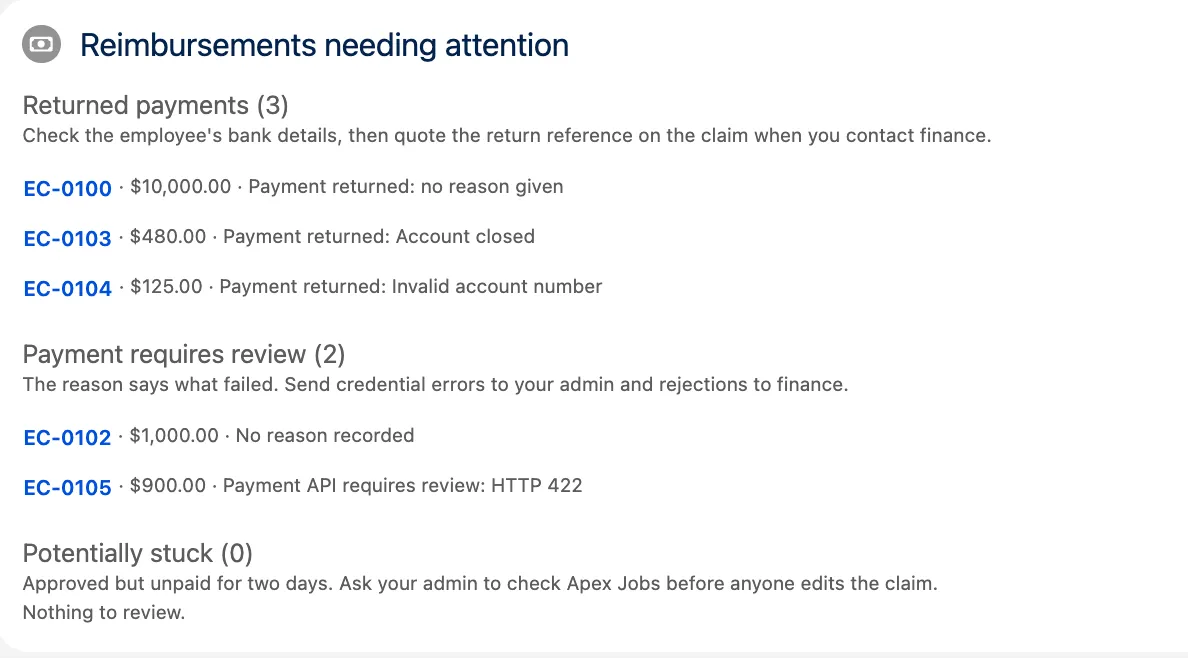
🚦 3. The trigger rule
Section titled “🚦 3. The trigger rule”The rule that accepts or refuses a reissue request lives in a small class the trigger calls, so the trigger stays readable and the rule stays testable. It isn’t a service anyone calls directly; the trigger is its only caller.

Add the rule class
Section titled “Add the rule class”Create a class named ExpenseClaimReissue. It checks each request against the claim as it was before the save and, when the request is accepted, makes the whole change:
public with sharing class ExpenseClaimReissue {
    public static final String PERMISSION = 'Reissue_Returned_Payment';
    // Payment state a request may not set. The transition computes these itself.    private static final List<SObjectField> PAYMENT_STATE = new List<SObjectField>{        Expense_Claim__c.Status__c,        Expense_Claim__c.Amount__c,        Expense_Claim__c.Payment_Attempt__c,        Expense_Claim__c.Previous_Payment_Reference__c,        Expense_Claim__c.Reimbursement_Reference__c,        Expense_Claim__c.Reimbursement_Return_Reference__c,        Expense_Claim__c.Reimbursement_Error__c    };
    // Called from before update. A request is Reissue_Requested__c changing from false    // to true, and the checkbox is always cleared, so it never stays set. Accepted claims    // move back to Approved at the next attempt; their IDs go back to the trigger so its    // payment-reference guard lets them through.    public static Set<Id> applyRequests(List<Expense_Claim__c> claims,            Map<Id, Expense_Claim__c> oldClaims) {        Set<Id> accepted = new Set<Id>();        Boolean permitted;        for (Expense_Claim__c claim : claims) {            Expense_Claim__c oldClaim = oldClaims.get(claim.Id);            Boolean requested = claim.Reissue_Requested__c && !oldClaim.Reissue_Requested__c;            claim.Reissue_Requested__c = false;            if (!requested) {                continue;            }            if (permitted == null) {                permitted = FeatureManagement.checkPermission(PERMISSION);            }            String refusal = refusal(claim, oldClaim, permitted);            if (refusal != null) {                claim.addError(refusal);                continue;            }            Integer attempt = oldClaim.Payment_Attempt__c == null                ? 1                : oldClaim.Payment_Attempt__c.intValue();            claim.Payment_Attempt__c = attempt + 1;            claim.Previous_Payment_Reference__c = oldClaim.Reimbursement_Reference__c;            claim.Reimbursement_Reference__c = null;            claim.Reimbursement_Return_Reference__c = null;            claim.Reimbursement_Error__c = null;            claim.Status__c = 'Approved';            accepted.add(claim.Id);        }        return accepted;    }
    private static String refusal(Expense_Claim__c claim, Expense_Claim__c oldClaim,            Boolean permitted) {        if (!permitted) {            return 'You don\'t have permission to reissue payments.';        }        for (SObjectField field : PAYMENT_STATE) {            if (claim.get(field) != oldClaim.get(field)) {                return 'A reissue request can only set the request and its reason.';            }        }        if (oldClaim.Status__c != 'Payment Review'                || String.isBlank(oldClaim.Reimbursement_Reference__c)                || String.isBlank(oldClaim.Reimbursement_Return_Reference__c)) {            return 'Only a returned payment can be reissued.';        }        if (String.isBlank(claim.Reissue_Reason__c)) {            return 'Give a reason for reissuing this payment.';        }        return null;    }}
Replace the trigger
Section titled “Replace the trigger”Replace ExpenseClaimTrigger with this version. It keeps both of Part 5’s rules and adds one exception to the second:
trigger ExpenseClaimTrigger on Expense_Claim__c (before update, after update) {    if (Trigger.isBefore) {        // A reissue request is the one sanctioned way back to Approved for a claim        // that already has a payment reference.        Set<Id> reissued = ExpenseClaimReissue.applyRequests(Trigger.new, Trigger.oldMap);
        for (Expense_Claim__c claim : Trigger.new) {            Expense_Claim__c oldClaim = Trigger.oldMap.get(claim.Id);            if (oldClaim.Status__c == 'Approved' && claim.Status__c == 'Draft') {                claim.addError('You cannot revert an Approved claim back to Draft.');            }            // The job and the sweep only pay claims with no reference, so approving            // a paid or returned claim again would send nothing.            if (claim.Status__c == 'Approved' && oldClaim.Status__c != 'Approved'                    && String.isNotBlank(oldClaim.Reimbursement_Reference__c)                    && !reissued.contains(claim.Id)) {                claim.addError('This claim already has a payment reference. '                    + 'Approving it again will not send a new payment.');            }        }    }
    if (Trigger.isAfter) {        List<Id> newlyApproved = new List<Id>();        for (Expense_Claim__c claim : Trigger.new) {            Expense_Claim__c oldClaim = Trigger.oldMap.get(claim.Id);            if (claim.Status__c == 'Approved' && oldClaim.Status__c != 'Approved') {                newlyApproved.add(claim.Id);            }        }
        if (!newlyApproved.isEmpty()                && !System.isBatch()                && Limits.getQueueableJobs() < Limits.getLimitQueueableJobs()) {            System.enqueueJob(new ClaimReimbursementJob(newlyApproved),                ClaimReimbursementJob.chainOptions(newlyApproved.size()));        }    }}
What to notice in the rule
Section titled “What to notice in the rule”There are a few important details in this rule:
- The old record decides. Eligibility and the next attempt come from
Trigger.oldMap, never from the values the requester sent. That’s what stops a request from choosing its own attempt number or previous reference. - A refused request saves nothing on that claim.
addErrorrolls back that record’s change, including the checkbox, so a refused request can’t leaveReissue_Requested__cstored as true. - The permission is checked once, and only when needed.
FeatureManagement.checkPermissionanswers for the running user, so one call covers the whole trigger run. Saves that aren’t requests never make it. The same call is the pattern Salesforce’s record-triggered automation guide uses for bypass permissions. - Nothing here reads or writes the database. At API 67.0 a trigger’s database operations default to user mode, but this rule only assigns fields on
Trigger.new. The design expects those assignments to land even though support can’t edit the fields.supportReissueIsPaidUnderTheNextAttemptKeyis the check for that expectation: it submits only the permitted request fields under the support user’s access. Run it in your org before treating the protected-field transition as verified. - Part 5’s messages survive. The existing guard test looks for “payment reference”, so the wording stays.
The last change in the trigger passes chainOptions to enqueueJob. That comes from the next piece.
🔄 4. The idempotency key, the replay guard, and the chain
Section titled “🔄 4. The idempotency key, the replay guard, and the chain”This piece changes the payment path in four places: the client, a new result writer that both payment workers share, the Queueable job, and the nightly sweep.
Send the attempt key from the client
Section titled “Send the attempt key from the client”Replace PaymentApiClient with this version. It sends the attempt key and refuses a replayed payment:
public with sharing class PaymentApiClient {
    public class RetryablePaymentException extends Exception {        public Integer retryAfterMinutes;    }    public class PaymentApiException extends Exception {}
    // The sample API promises that 201 means payment completed, not merely accepted.    public static String submit(Expense_Claim__c claim) {        HttpRequest req = new HttpRequest();        req.setEndpoint('callout:Payment_API/v1/reimbursements');        req.setMethod('POST');        req.setHeader('Content-Type', 'application/json');        req.setTimeout(2500);        req.setBody(JSON.serialize(new Map<String, Object>{            'clientReference' => clientReference(claim),            'claimNumber' => claim.Name,            'amount' => claim.Amount__c        }));
        HttpResponse res = new Http().send(req);        Integer status = res.getStatusCode();        if (status == 408 || status == 429 || status >= 500) {            RetryablePaymentException failure = new RetryablePaymentException(                'Temporary payment API error HTTP ' + status            );            failure.retryAfterMinutes = retryAfterMinutes(res.getHeader('Retry-After'), Datetime.now());            throw failure;        }        if (status != 201) {            throw new PaymentApiException('Payment API requires review: HTTP ' + status);        }        String reference;        try {            Map<String, Object> body = (Map<String, Object>) JSON.deserializeUntyped(res.getBody());            reference = (String) body.get('paymentReference');        } catch (Exception ex) {            throw new PaymentApiException('Payment API returned an invalid confirmation');        }        if (String.isBlank(reference)) {            throw new PaymentApiException('Payment API returned no payment reference');        }        if (reference.length() > Expense_Claim__c.Reimbursement_Reference__c.getDescribe().getLength()) {            // Truncating an identifier would turn it into a different payment.            throw new PaymentApiException('Payment API returned an oversized payment reference');        }        if (reference.equals(claim.Previous_Payment_Reference__c)) {            throw new PaymentApiException('Payment API returned the previous payment '                + reference + ' for a reissue');        }        return reference;    }
    // Retry-After can be seconds or an HTTP date. Round up so we never retry early.    // This build parks unsupported or longer waits for review instead of shortening them.    @TestVisible    private static Integer retryAfterMinutes(String header, Datetime now) {        if (String.isBlank(header)) { return 0; }        String value = header.trim();        Long waitMillis;        try {            if (Pattern.matches('[0-9]+', value)) {                Decimal seconds = Decimal.valueOf(value);                if (seconds > 600) {                    throw new PaymentApiException('Payment API retry delay needs manual scheduling');                }                waitMillis = seconds.longValue() * 1000;            } else {                waitMillis = retryAfterDate(value, now).getTime() - now.getTime();            }        } catch (Exception ex) {            throw new PaymentApiException('Payment API retry delay needs manual scheduling');        }        if (waitMillis > 600000) {            throw new PaymentApiException('Payment API retry delay needs manual scheduling');        }        if (waitMillis <= 0) { return 0; }        return Math.ceil(waitMillis / 60000.0).intValue();    }
    // HTTP recipients also accept the two older date formats defined by RFC 9110.    private static Datetime retryAfterDate(String value, Datetime now) {        String monthsPattern = '(Jan|Feb|Mar|Apr|May|Jun|Jul|Aug|Sep|Oct|Nov|Dec)';        String timePattern = '([0-9]{2}:[0-9]{2}:[0-9]{2})';        Matcher current = Pattern.compile('^(?:Mon|Tue|Wed|Thu|Fri|Sat|Sun), ([0-9]{2}) '            + monthsPattern + ' ([0-9]{4}) ' + timePattern + ' GMT$').matcher(value);        Matcher older = Pattern.compile('^(?:Monday|Tuesday|Wednesday|Thursday|Friday|Saturday|Sunday), '            + '([0-9]{2})-' + monthsPattern + '-([0-9]{2}) ' + timePattern + ' GMT$').matcher(value);        Matcher asctime = Pattern.compile('^(?:Mon|Tue|Wed|Thu|Fri|Sat|Sun) ' + monthsPattern            + ' ( [0-9]|[0-9]{2}) ' + timePattern + ' ([0-9]{4})$').matcher(value);        String day;        String monthName;        String year;        String clock;        Boolean shortYear = false;        if (current.matches()) {            day = current.group(1); monthName = current.group(2);            year = current.group(3); clock = current.group(4);        } else if (older.matches()) {            day = older.group(1); monthName = older.group(2);            Integer century = (now.yearGmt() + 50) / 100;            year = String.valueOf(century * 100 + Integer.valueOf(older.group(3)));            clock = older.group(4); shortYear = true;        } else if (asctime.matches()) {            day = asctime.group(2).trim(); monthName = asctime.group(1);            year = asctime.group(4); clock = asctime.group(3);        } else {            throw new PaymentApiException('Payment API retry delay needs manual scheduling');        }        List<String> months = new List<String>{            'Jan', 'Feb', 'Mar', 'Apr', 'May', 'Jun',            'Jul', 'Aug', 'Sep', 'Oct', 'Nov', 'Dec'        };        String month = String.valueOf(months.indexOf(monthName) + 1);        if (month.length() == 1) { month = '0' + month; }        if (day.length() == 1) { day = '0' + day; }        Datetime retryAt = Datetime.valueOfGmt(year + '-' + month + '-' + day + ' ' + clock);        // Two-digit years more than fifty years ahead mean the preceding century.        if (shortYear && retryAt > now.addYears(50)) {            retryAt = Datetime.valueOfGmt(String.valueOf(Integer.valueOf(year) - 100)                + '-' + month + '-' + day + ' ' + clock);        }        return retryAt;    }
    public static String clientReference(Expense_Claim__c claim) {        String claimId = claim.Id;        Integer attempt = claim.Payment_Attempt__c == null            ? 1 : claim.Payment_Attempt__c.intValue();        return attempt <= 1 ? claimId : claimId + '-' + attempt;    }}
The replay check uses equals because Apex’s == compares strings without regard to case. Payment references are exact identifiers. A reference must also fit its field; truncating it would change which payment it names.
For temporary Hypertext Transfer Protocol (HTTP) failures, the client reads Retry-After as seconds or a GMT date. It accepts the two older HTTP date formats too, and rounds up to whole minutes. An invalid value or a wait longer than ten minutes becomes a review error. This build leaves that recovery to the owner rather than retrying earlier than finance asked.
Save results through one guarded writer
Section titled “Save results through one guarded writer”Two kinds of worker send payments: the Queueable, including its retries, and the nightly sweep. A callout result can arrive after another worker has paid the claim, finance has returned it, or support has reissued it. Create ClaimReimbursementResults at API 67.0; both workers save their results through it. It locks fresh records after the callouts, checks the attempt and payment payload, and leaves a changed claim alone:
public with sharing class ClaimReimbursementResults {
    // Both workers pass their original snapshots and the outcomes of their callouts.    public static Set<Id> save(List<Expense_Claim__c> sent,            Map<Id, String> paid, Map<Id, String> refused) {        Set<Id> saved = new Set<Id>();        if (sent.isEmpty()) { return saved; }        Map<Id, Expense_Claim__c> snapshots = new Map<Id, Expense_Claim__c>(sent);        Set<Id> claimIds = snapshots.keySet();        List<Expense_Claim__c> currentClaims = [            SELECT Id, Name, Amount__c, Payment_Attempt__c, Previous_Payment_Reference__c,                   Status__c, Reimbursement_Reference__c            FROM Expense_Claim__c WHERE Id IN :claimIds            WITH USER_MODE FOR UPDATE        ];
        List<Expense_Claim__c> changes = new List<Expense_Claim__c>();        for (Expense_Claim__c current : currentClaims) {            Expense_Claim__c snapshot = snapshots.get(current.Id);            // A result belongs to the attempt and payload sent, not whichever is current now.            if (current.Status__c != 'Approved'                    || String.isNotBlank(current.Reimbursement_Reference__c)                    || !PaymentApiClient.clientReference(current).equals(PaymentApiClient.clientReference(snapshot))                    || current.Amount__c != snapshot.Amount__c                    || !current.Name.equals(snapshot.Name)                    || !sameReference(current.Previous_Payment_Reference__c,                        snapshot.Previous_Payment_Reference__c)) {                continue;            }            if (!paid.containsKey(current.Id) && !refused.containsKey(current.Id)) {                continue;            }            Boolean confirmed = paid.containsKey(current.Id);            changes.add(new Expense_Claim__c(                Id = current.Id,                Status__c = confirmed ? 'Paid' : 'Payment Review',                Reimbursement_Reference__c = confirmed ? paid.get(current.Id) : null,                Reimbursement_Error__c = confirmed ? null                    : refused.get(current.Id).left(Expense_Claim__c.Reimbursement_Error__c.getDescribe().getLength())            ));            saved.add(current.Id);        }        // Sparse updates contain only the result fields; snapshots are never written back.        if (!changes.isEmpty()) { update as system changes; }        return saved;    }
    private static Boolean sameReference(String left, String right) {        return left == null ? right == null : left.equals(right);    }}
The fresh query uses FOR UPDATE to hold the records through the save. Take that lock after all callouts, because a callout releases Apex record locks. The writer checks the current status, reference, attempt key, amount, name, and previous reference before applying an outcome. It writes only status, active reference, and error, with error text bounded to the field’s length. A changed claim keeps its current state; the amount-freezing limit above still needs its own design.
Update the payment job
Section titled “Update the payment job”Update ClaimReimbursementJob. Its query selects the two fields the client now reads, and it gains the chainOptions method the trigger calls:
public with sharing class ClaimReimbursementJob implements Queueable, Database.AllowsCallouts {
    private static final Integer CLAIMS_PER_JOB = 40;    private static final Integer RETRY_DEPTH_ALLOWANCE = 5;    private static final Integer MAX_CONSECUTIVE_RETRIES = 5;    private final List<Id> claimIds;    private final Integer retryNumber;
    public ClaimReimbursementJob(List<Id> claimIds) {        this(claimIds, 0);    }
    private ClaimReimbursementJob(List<Id> claimIds, Integer retryNumber) {        this.claimIds = claimIds;        this.retryNumber = retryNumber;    }
    public static AsyncOptions chainOptions(Integer claimCount) {        AsyncOptions options = new AsyncOptions();        options.MaximumQueueableStackDepth =            Math.ceil(claimCount / (Decimal) CLAIMS_PER_JOB).intValue() + RETRY_DEPTH_ALLOWANCE;        return options;    }
    public void execute(QueueableContext context) {        System.attachFinalizer(new RetryFinalizer(claimIds, retryNumber));        List<Id> thisRun = new List<Id>();        List<Id> remainder = new List<Id>();        for (Integer i = 0; i < claimIds.size(); i++) {            if (i < CLAIMS_PER_JOB) { thisRun.add(claimIds[i]); }            else { remainder.add(claimIds[i]); }        }
        List<Expense_Claim__c> unpaid = [            SELECT Id, Name, Amount__c, Payment_Attempt__c, Previous_Payment_Reference__c            FROM Expense_Claim__c            WHERE Id IN :thisRun AND Status__c = 'Approved'              AND Reimbursement_Reference__c = null            WITH USER_MODE        ];        Map<Id, String> paid = new Map<Id, String>();        Map<Id, String> refused = new Map<Id, String>();        for (Expense_Claim__c claim : unpaid) {            try {                paid.put(claim.Id, PaymentApiClient.submit(claim));            } catch (PaymentApiClient.PaymentApiException ex) {                refused.put(claim.Id, ex.getMessage());            }        }        ClaimReimbursementResults.save(unpaid, paid, refused);
        if (!remainder.isEmpty()) {            // A successful chunk starts the next chunk's consecutive-retry count at zero.            System.enqueueJob(new ClaimReimbursementJob(remainder));        }    }
    public class RetryFinalizer implements Finalizer {        private final List<Id> claimIds;        private final Integer retryNumber;
        public RetryFinalizer(List<Id> claimIds) {            this(claimIds, 0);        }
        public RetryFinalizer(List<Id> claimIds, Integer retryNumber) {            this.claimIds = claimIds;            this.retryNumber = retryNumber;        }
        public void execute(FinalizerContext ctx) {            retry(ctx.getResult(), ctx.getException());        }
        @TestVisible        private void retry(ParentJobResult result, Exception failure) {            // Transport failures and classified temporary HTTP failures can be retried.            // Query-access and code faults stay Failed for triage.            if (result == ParentJobResult.SUCCESS || retryNumber >= MAX_CONSECUTIVE_RETRIES                    || (!(failure instanceof CalloutException)                        && !(failure instanceof PaymentApiClient.RetryablePaymentException))) {                return;            }            // Salesforce writes rolled back; finance may still have accepted the same key.            System.enqueueJob(new ClaimReimbursementJob(claimIds, retryNumber + 1),                retryOptions(failure, retryNumber + 1));        }
        @TestVisible        private AsyncOptions retryOptions(Exception failure, Integer nextRetry) {            List<Integer> delays = new List<Integer>{ 1, 2, 4, 8, 10 };            Integer delay = delays[Math.min(nextRetry - 1, delays.size() - 1)];            if (failure instanceof PaymentApiClient.RetryablePaymentException) {                Integer requested = ((PaymentApiClient.RetryablePaymentException) failure).retryAfterMinutes;                if (requested != null) { delay = Math.max(delay, requested); }            }            AsyncOptions options = new AsyncOptions();            options.MinimumQueueableDelayInMinutes = delay;            return options;        }    }}
Budget the chain and its retries
Section titled “Budget the chain and its retries”The chain limit needs a word, because it’s the one change here that isn’t about reissues. Developer Edition caps a chain at five jobs by default. That’s exactly 200 claims at 40 a job, with nothing to spare for a retry. You can set a maximum stack depth when you start a chain, overriding that default. Here the budget is one job per 40 claims plus five extra jobs across the whole chain.
That depth budget is separate from Salesforce’s Finalizer retry limit: five consecutive failures, with the counter reset after a successful job. The code also caps a chunk at five retries and resets its counter when the next chunk starts. Failures spread across chunks can exhaust the extra depth first.
Retries wait at least 1, 2, 4, 8, then 10 minutes, or the longer supported wait from finance. Salesforce’s reliability guidance recommends backoff and respecting rate-limit delays. MinimumQueueableDelayInMinutes supplies a minimum, not an exact start time. Check the actual timing in the org; Apex tests ignore queue delays.
Which failures retry hasn’t changed. retry() and the one-argument constructor are the ones the preparation step tested, so ClaimReimbursementFinalizerTest still passes against this version. The budget and the waits are new, and ExpenseClaimReissueTest tests them.
If the depth is exhausted while a job enqueues its remainder, the enqueue fails after the payment calls and record updates. The job’s Salesforce updates roll back, even if finance accepted a payment. The claim stays Approved with no reference for the nightly sweep, which resends the same attempt key. The Finalizer won’t retry that depth fault. Recovery still depends on finance retaining the key and the attempt payload staying unchanged, the limits recorded above. Monitor the failed job and the unpaid claims rather than treating the bounded chain as a guarantee of completion.
Part 5 recommends testing each job, and its decision to queue the next one, separately. This capstone also tests the whole chain: twoHundredRequestsInOneSave, in Prove and review the change, sets an explicit stack depth, which the Apex guide says makes chained jobs testable, and expects all five jobs to run. In the practice org used for this guide it passed, and a one-job chain whose callout failed ran its job and then all five Finalizer retries, each after a longer wait, before stopping. One case wasn’t observed: a retry after the last job of a longer chain. The depth budget leaves room for it, but a practice org can’t produce it, because the placeholder credential fails the first job before the chain gets that far. Record it as Not run in your evidence pack, and watch for it in Apex Jobs once a real finance endpoint is connected.
Update the nightly sweep
Section titled “Update the nightly sweep”Replace both start() and execute() in ClaimReimbursementRetryBatch with these methods. The query selects the attempt fields, and the sweep sends its outcomes through the same guarded writer as the Queueable:
    public Database.QueryLocator start(Database.BatchableContext bc) {        return Database.getQueryLocatorWithBinds(            'SELECT Id, Name, Amount__c, Payment_Attempt__c, Previous_Payment_Reference__c '            + 'FROM Expense_Claim__c '            + 'WHERE Status__c = \'Approved\' AND Reimbursement_Reference__c = null '            + 'AND LastModifiedDate < :cutoff',            new Map<String, Object>{ 'cutoff' => cutoff },            AccessLevel.USER_MODE        );    }
    public void execute(Database.BatchableContext bc, List<Expense_Claim__c> scope) {        Map<Id, String> paid = new Map<Id, String>();        Map<Id, String> refused = new Map<Id, String>();        for (Expense_Claim__c claim : scope) {            try {                paid.put(claim.Id, PaymentApiClient.submit(claim));            } catch (PaymentApiClient.PaymentApiException ex) {                refused.put(claim.Id, ex.getMessage());            }        }        Set<Id> saved = ClaimReimbursementResults.save(scope, paid, refused);        for (Id claimId : saved) {            if (paid.containsKey(claimId)) { paidCount++; } else { reviewCount++; }        }    }
Leave these fields out and the batch doesn’t misbehave quietly; it fails. clientReference reads Payment_Attempt__c, and reading a field that the SOQL query didn’t select throws an exception before any callout is made. That exception isn’t a PaymentApiException, so the chunk fails every night and its claims never move. The Queueable has the same dependency, and its Finalizer won’t retry that kind of fault. That’s why the two queries change together, in the same deployment as the client.
📨 5. The Apex REST return endpoint
Section titled “📨 5. The Apex REST return endpoint”Finance now sends returns for reissued payments with the suffixed key, which Part 6’s endpoint rejects as “not a record ID”.

Replace the endpoint
Section titled “Replace the endpoint”Replace ReimbursementReturnApi with this version. It accepts either key form, then checks that the attempt in the key is the claim’s current one:
@RestResource(urlMapping='/v1/reimbursement-returns/*')global without sharing class ReimbursementReturnApi {
    // The request contract agreed with finance. Unknown fields are ignored.    global class ReturnNotice {        public String clientReference;        public String paymentReference;        public String returnReference;        public String reason;    }
    global class Result {        public String outcome;        public String message;    }
    @HttpPost    global static Result recordReturn() {        RestRequest req = RestContext.request;        RestResponse res = RestContext.response;
        ReturnNotice notice;        try {            notice = req.requestBody == null                ? null                : (ReturnNotice) JSON.deserialize(req.requestBody.toString(), ReturnNotice.class);        } catch (JSONException ex) {            notice = null;        }        if (notice == null                || String.isBlank(notice.clientReference)                || String.isBlank(notice.paymentReference)                || String.isBlank(notice.returnReference)) {            return reply(res, 400, 'Rejected',                'clientReference, paymentReference, and returnReference are required.');        }        if (notice.returnReference.length() > 255) {            return reply(res, 400, 'Rejected', 'returnReference must be 255 characters or fewer.');        }
        // clientReference is the key the payment was made with: the bare claim ID for        // attempt 1, or the claim ID, a hyphen, and the attempt number for a reissue.        Id claimId;        try {            claimId = Id.valueOf(notice.clientReference.substringBefore('-'));        } catch (StringException ex) {            return reply(res, 400, 'Rejected', 'clientReference is not a record ID.');        }        Integer attempt = 1;        if (notice.clientReference.contains('-')) {            String suffix = notice.clientReference.substringAfter('-');            if (!suffix.isNumeric() || suffix.length() > 3 || suffix.startsWith('0')                    || Integer.valueOf(suffix) < 2) {                return reply(res, 400, 'Rejected', 'clientReference has an invalid attempt number.');            }            attempt = Integer.valueOf(suffix);        }
        String paymentReference = notice.paymentReference;        List<Expense_Claim__c> claims = [            SELECT Id, Status__c, Payment_Attempt__c, Reimbursement_Reference__c,                   Reimbursement_Return_Reference__c            FROM Expense_Claim__c            WHERE Id = :claimId              AND Reimbursement_Reference__c = :paymentReference            WITH USER_MODE            FOR UPDATE        ];        // The same answer for an inaccessible claim, a wrong reference, or an attempt        // that isn't the current one, so the endpoint can't confirm which claims exist.        // A superseded attempt no longer holds the active reference, so it lands here.        // SOQL matched the reference without regard to case, so check it exactly: a        // reference finance issued in one case isn't the same as one in another.        if (claims.isEmpty()                || !claims[0].Reimbursement_Reference__c.equals(paymentReference)                || currentAttempt(claims[0]) != attempt) {            return reply(res, 404, 'Not found', 'No accessible claim matches these references.');        }
        Expense_Claim__c claim = claims[0];        if (claim.Status__c == 'Payment Review') {            if (notice.returnReference.equals(claim.Reimbursement_Return_Reference__c)) {                return reply(res, 200, 'Already recorded', 'This return was already recorded.');            }            return reply(res, 409, 'Conflict',                'The claim is already in Payment Review for a different reason or return.');        }        if (claim.Status__c != 'Paid') {            return reply(res, 409, 'Conflict', 'The claim cannot record a return in its current state.');        }
        String reason = String.isBlank(notice.reason) ? 'no reason given' : notice.reason;        claim.Status__c = 'Payment Review';        claim.Reimbursement_Return_Reference__c = notice.returnReference;        claim.Reimbursement_Error__c = ('Payment returned: ' + reason).left(255);        // The caller can read the claim, but only this validated operation can change it.        update as system claim;
        return reply(res, 200, 'Recorded', 'The claim is now in Payment Review.');    }
    private static Integer currentAttempt(Expense_Claim__c claim) {        return claim.Payment_Attempt__c == null ? 1 : claim.Payment_Attempt__c.intValue();    }
    private static Result reply(RestResponse res, Integer statusCode, String outcome, String message) {        res.statusCode = statusCode;        Result result = new Result();        result.outcome = outcome;        result.message = message;        return result;    }}
What to notice in the endpoint
Section titled “What to notice in the endpoint”The suffix check is strict on purpose. -1 isn’t valid, because attempt 1 never had a suffix. -02 isn’t valid, because Salesforce never sends a leading zero, and accepting one would mean two different strings name the same attempt. Part 6’s malformed-ID case still gets its exact message, clientReference is not a record ID., because its existing test asserts it.
The exact reference checks come from Part 6 unchanged, and they matter more now. SOQL compares text without regard to case, so the endpoint reads the stored reference back and compares it with equals, and compares return IDs the same way. The client’s replay check treats references as exact identifiers too, so both directions agree on what counts as the same payment. Part 6’s referencesMustMatchExactly test covers this, and it runs in your regression.
A superseded return is the case to understand. Once a claim is reissued, its active payment reference is cleared. A late notice about the first payment no longer matches, so the endpoint answers 404 and changes nothing, and finance’s change notice says who reconciles it. The claim’s previous reference is there for the replay guard; it isn’t enough to recognise an old return ID, because the return reference is cleared too.
💻 6. The LWC quick action
Section titled “💻 6. The LWC quick action”The support user needs somewhere to press. This piece builds the Reissue Payment action as a Lightning web component, tests it with Jest, then adds it to the page layout.
Build the component
Section titled “Build the component”Create a Lightning web component named reissuePayment in your project, for example with SFDX: Create Lightning Web Component in VS Code. It saves the two request fields with updateRecord, which enforces sharing, object permissions to create, read, update, and delete (CRUD), and field-level security as the running user. There’s no Apex behind it, because the trigger already holds the rule.
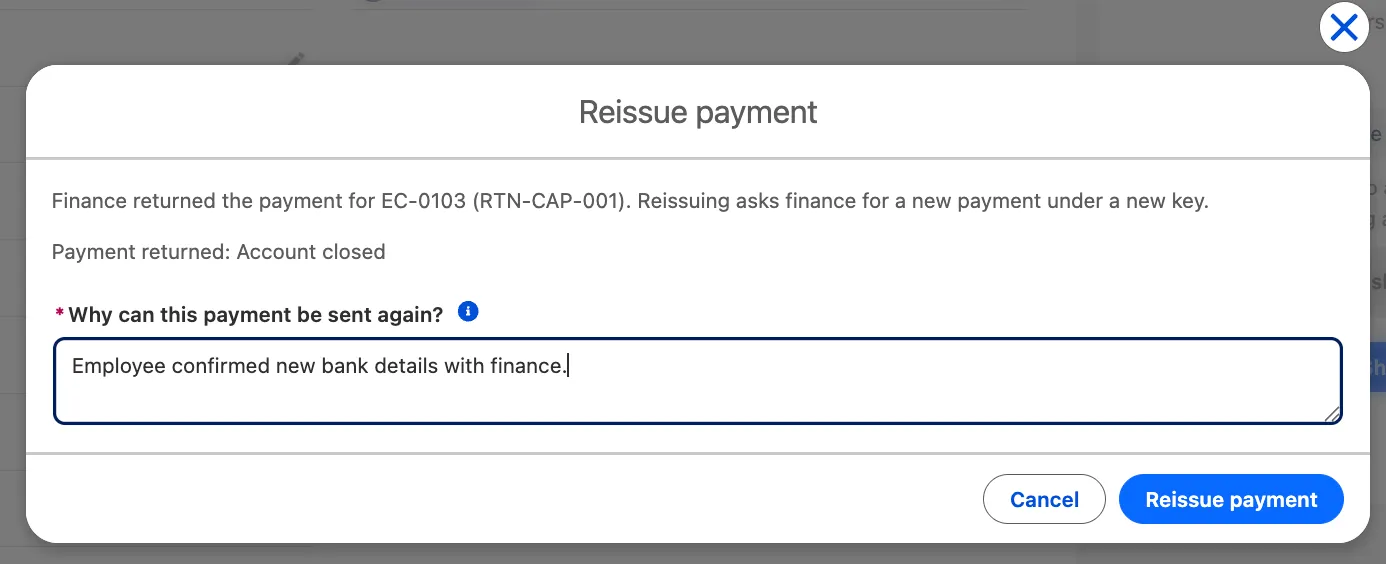
import { LightningElement, api, wire } from 'lwc';import { getRecord, getFieldValue, notifyRecordUpdateAvailable, updateRecord } from 'lightning/uiRecordApi';import { CloseActionScreenEvent } from 'lightning/actions';import { ShowToastEvent } from 'lightning/platformShowToastEvent';import ID_FIELD from '@salesforce/schema/Expense_Claim__c.Id';import NAME_FIELD from '@salesforce/schema/Expense_Claim__c.Name';import STATUS_FIELD from '@salesforce/schema/Expense_Claim__c.Status__c';import RETURN_FIELD from '@salesforce/schema/Expense_Claim__c.Reimbursement_Return_Reference__c';import ERROR_FIELD from '@salesforce/schema/Expense_Claim__c.Reimbursement_Error__c';import MODIFIED_FIELD from '@salesforce/schema/Expense_Claim__c.LastModifiedDate';import REQUESTED_FIELD from '@salesforce/schema/Expense_Claim__c.Reissue_Requested__c';import REASON_FIELD from '@salesforce/schema/Expense_Claim__c.Reissue_Reason__c';
const FIELDS = [NAME_FIELD, STATUS_FIELD, RETURN_FIELD, ERROR_FIELD, MODIFIED_FIELD];const CONFLICT_MESSAGE = 'This claim changed while the action was open. Close and reopen it to review the latest return.';
// Pulls readable messages out of a failed record save. A trigger's addError arrives in// body.output.errors (record level) or body.output.fieldErrors (field level); the// body.message beside them is only a generic wrapper.export function reduceSaveErrors(error) {    const output = error?.body?.output;    const messages = [        ...(output?.errors ?? []),        ...Object.values(output?.fieldErrors ?? {}).flat()    ]        .map((entry) => entry.message)        .filter(Boolean);    if (messages.length) {        return messages.join(' ');    }    return error?.body?.message ?? error?.message ?? 'Unknown error';}
export default class ReissuePayment extends LightningElement {    @api recordId;    reason = '';    errorMessage;    saving = false;    conflicted = false;    claim = {};    expectedModifiedDate;
    @wire(getRecord, { recordId: '$recordId', fields: FIELDS })    wiredClaim(result) {        this.claim = result;        // The request is about the version support first sees.        if (result.data && !this.expectedModifiedDate) {            this.expectedModifiedDate = getFieldValue(result.data, MODIFIED_FIELD);        }        this.checkVersion();    }
    // A newer version means someone saved the claim after the action opened, so the    // return support reviewed may not be the one a request would act on.    checkVersion() {        const current = this.value(MODIFIED_FIELD);        if (!this.saving && current && this.expectedModifiedDate                && current !== this.expectedModifiedDate) {            this.conflicted = true;            this.errorMessage = CONFLICT_MESSAGE;        }    }
    value(field) {        return this.claim?.data ? getFieldValue(this.claim.data, field) : undefined;    }
    get claimName() {        return this.value(NAME_FIELD);    }
    get returnReference() {        return this.value(RETURN_FIELD);    }
    get returnReason() {        return this.value(ERROR_FIELD);    }
    // A convenience for the person, not the rule: the trigger decides what can be    // reissued, whatever this component shows.    get isReturned() {        return this.value(STATUS_FIELD) === 'Payment Review' && Boolean(this.returnReference);    }
    get submitDisabled() {        return this.saving || this.conflicted || !this.isReturned || !this.expectedModifiedDate;    }
    handleReasonChange(event) {        this.reason = event.target.value;    }
    handleCancel() {        if (this.saving) {            return;        }        this.dispatchEvent(new CloseActionScreenEvent());    }
    async handleSubmit() {        if (this.submitDisabled) {            return;        }        const reason = (this.reason ?? '').trim();        if (!reason) {            this.errorMessage = 'Give a reason for reissuing this payment.';            return;        }        this.saving = true;        this.errorMessage = undefined;        try {            // Only the request and its reason: the trigger works out everything else.            await updateRecord({                fields: {                    [ID_FIELD.fieldApiName]: this.recordId,                    [REQUESTED_FIELD.fieldApiName]: true,                    [REASON_FIELD.fieldApiName]: reason                }            }, { ifUnmodifiedSince: this.expectedModifiedDate });        } catch (error) {            this.saving = false;            this.errorMessage = reduceSaveErrors(error);            // Salesforce doesn't document how a version conflict is reported, so check the            // claim instead: refresh it, and wiredClaim flags a conflict if its version moved.            // A failed refresh leaves the save error showing.            this.checkVersion();            await notifyRecordUpdateAvailable([{ recordId: this.recordId }]).catch(() => {});            return;        }        // Saving stays set, so the buttons stay disabled while the action closes.        this.dispatchEvent(            new ShowToastEvent({                title: 'Reissue requested',                message: `${this.claimName} is approved again and queued for payment.`,                variant: 'success'            })        );        this.dispatchEvent(new CloseActionScreenEvent());    }}
The template builds the modal from Lightning Design System classes. Salesforce offers lightning-quick-action-panel for this, but it’s a Beta component at the time of writing:
<template> <div class="slds-modal__header"> <h2 class="slds-modal__title slds-hyphenate">Reissue payment</h2> </div> <div class="slds-modal__content slds-p-around_medium slds-is-relative"> <template lwc:if={saving}> <lightning-spinner alternative-text="Saving reissue request" size="small"></lightning-spinner> </template> <template lwc:if={claim.data}> <template lwc:if={isReturned}> <p class="slds-m-bottom_small"> Finance returned the payment for {claimName} ({returnReference}). Reissuing asks finance for a new payment under a new key. </p> <p class="slds-m-bottom_medium slds-text-color_weak">{returnReason}</p> <lightning-textarea label="Why can this payment be sent again?" field-level-help="For example, the employee confirmed new bank details with finance." max-length="255" required value={reason} disabled={saving} onchange={handleReasonChange} ></lightning-textarea> </template> <template lwc:else> <p>Only a returned payment can be reissued, and this claim isn't one.</p> </template> </template> <template lwc:if={claim.error}> <p class="slds-text-color_error">This claim couldn't be loaded.</p> </template> <template lwc:if={errorMessage}> <div class="slds-text-color_error slds-m-top_small" role="alert">{errorMessage}</div> </template> </div> <div class="slds-modal__footer"> <lightning-button label="Cancel" disabled={saving} onclick={handleCancel}></lightning-button> <lightning-button class="slds-m-left_x-small" variant="brand" label="Reissue payment" disabled={submitDisabled} onclick={handleSubmit} ></lightning-button> </div></template>The metadata file makes the component a screen action on record pages:
<?xml version="1.0" encoding="UTF-8"?><LightningComponentBundle xmlns="http://soap.sforce.com/2006/04/metadata"> <apiVersion>67.0</apiVersion> <isExposed>true</isExposed> <masterLabel>Reissue Payment</masterLabel> <targets> <target>lightning__RecordAction</target> </targets> <targetConfigs> <targetConfig targets="lightning__RecordAction"> <actionType>ScreenAction</actionType> </targetConfig> </targetConfigs></LightningComponentBundle>What to notice in the component
Section titled “What to notice in the component”There are a few important details in this component:
- It sends only three field values: the record ID, the checkbox, and the reason. Even an administrator can’t change the status through this action. The
ifUnmodifiedSinceoption checks for a conflicting save, and the component passes it the claim’sLastModifiedDatefrom when the action first loaded. Any save to the claim after that makes the request fail, even if LDS has already refreshed the modal, so a request support made about one return can’t land on a different one. - It spots a conflict from the claim, not from the error. Salesforce doesn’t document how a failed
ifUnmodifiedSincecheck is reported, and in a practice-org run it didn’t arrive as HTTP412, the status you might expect. So after any failed save, the component asks LDS for the latest version of the claim withnotifyRecordUpdateAvailable. If that version, or any newer data LDS supplies while support is typing, is newer than the one the action opened with, the component shows its conflict message and disables Reissue payment until support reopens the action. A refusal, such as a missing permission, leaves the version alone, so its own message stays. - The error helper goes further than the LWC chapter’s. On a failed record save, that chapter’s trimmed
reduceErrorsreturns only the error’s top-levelmessage. The trigger’s message arrives inside the error’soutput, as a record- or field-level error, andreduceSaveErrorsreads those first. Check the actual error shape in your org and confirm that the trigger’s message reaches the modal; the Jest fixture alone doesn’t prove that. - The modal closes with
CloseActionScreenEventfromlightning/actions, the event a screen action listens for. After the save, check that the record page shows the trigger’s new status and attempt without a manual refresh. That cache behaviour is part of the org check below, not something the mocked save verifies. - The triage component doesn’t update on its own. It lives on the Home page and reads through GraphQL, so it shows the change when Home reloads or when support clicks its refresh button. Don’t promise more than that.
Test the component with Jest
Section titled “Test the component with Jest”Create __tests__/reissuePayment.test.js in the component’s folder. getRecord is one of the adapters sfdx-lwc-jest already fakes; updateRecord and the close event are mocked here:
import { createElement } from 'lwc';import { getRecord, notifyRecordUpdateAvailable, updateRecord } from 'lightning/uiRecordApi';import ReissuePayment from 'c/reissuePayment';
jest.mock('lightning/uiRecordApi', () => {    const actual = jest.requireActual('lightning/uiRecordApi');    return { ...actual, updateRecord: jest.fn() };});
jest.mock(    'lightning/actions',    () => ({        CloseActionScreenEvent: class extends CustomEvent {            constructor() {                super('close');            }        }    }),    { virtual: true });
const RECORD_ID = 'a01000000000001AAA';const RECORD_VERSION = '2026-10-03T01:00:00.000Z';const NEWER_VERSION = '2026-10-03T01:05:00.000Z';const CONFLICT_MESSAGE = 'This claim changed while the action was open. Close and reopen it to review the latest return.';const claimRecord = (status, returnReference, version = RECORD_VERSION) => ({    apiName: 'Expense_Claim__c',    id: RECORD_ID,    fields: {        Name: { value: 'EC-0042' },        Status__c: { value: status },        Reimbursement_Return_Reference__c: { value: returnReference },        Reimbursement_Error__c: { value: 'Payment returned: Account closed' },        LastModifiedDate: { value: version }    }});// Waits for every queued promise; this test-only timer opts out of the LWC lint rule.// eslint-disable-next-line @lwc/lwc/no-async-operationconst flushPromises = () => new Promise((resolve) => setTimeout(resolve, 0));
describe('c-reissue-payment', () => {    afterEach(() => {        while (document.body.firstChild) {            document.body.removeChild(document.body.firstChild);        }        jest.clearAllMocks();    });
    async function render(record) {        const element = createElement('c-reissue-payment', { is: ReissuePayment });        element.recordId = RECORD_ID;        document.body.appendChild(element);        getRecord.emit(record);        await flushPromises();        return element;    }
    function submitButton(element) {        return [...element.shadowRoot.querySelectorAll('lightning-button')]            .find((button) => button.label === 'Reissue payment');    }
    function enterReason(element, text) {        const textarea = element.shadowRoot.querySelector('lightning-textarea');        textarea.value = text;        textarea.dispatchEvent(new CustomEvent('change'));    }
    it('sends only the request and its reason, then closes', async () => {        updateRecord.mockResolvedValue({});        const element = await render(claimRecord('Payment Review', 'RTN-0042'));        const closed = jest.fn();        element.addEventListener('close', closed);
        enterReason(element, '  New bank details confirmed  ');        submitButton(element).click();        await flushPromises();
        expect(updateRecord).toHaveBeenCalledTimes(1);        expect(updateRecord).toHaveBeenCalledWith({            fields: {                Id: RECORD_ID,                Reissue_Requested__c: true,                Reissue_Reason__c: 'New bank details confirmed'            }        }, { ifUnmodifiedSince: RECORD_VERSION });        expect(closed).toHaveBeenCalled();    });
    it("shows the trigger's refusal and stays open", async () => {        updateRecord.mockRejectedValue({            body: {                message: 'An error occurred while trying to update the record.',                output: {                    errors: [{ message: "You don't have permission to reissue payments." }],                    fieldErrors: {}                }            }        });        const element = await render(claimRecord('Payment Review', 'RTN-0042'));        const closed = jest.fn();        element.addEventListener('close', closed);
        enterReason(element, 'New bank details confirmed');        submitButton(element).click();        await flushPromises();        // The refresh after a failed save finds the same version: a refusal isn't a conflict.        expect(notifyRecordUpdateAvailable).toHaveBeenCalledWith([{ recordId: RECORD_ID }]);        getRecord.emit(claimRecord('Payment Review', 'RTN-0042'));        await flushPromises();
        const alert = element.shadowRoot.querySelector('[role="alert"]');        expect(alert.textContent).toBe("You don't have permission to reissue payments.");        expect(submitButton(element).disabled).toBe(false);        expect(closed).not.toHaveBeenCalled();    });
    it('asks for a reason before saving', async () => {        const element = await render(claimRecord('Payment Review', 'RTN-0042'));
        submitButton(element).click();        await flushPromises();
        expect(updateRecord).not.toHaveBeenCalled();        const alert = element.shadowRoot.querySelector('[role="alert"]');        expect(alert.textContent).toBe('Give a reason for reissuing this payment.');    });
    it('offers nothing to submit for a claim that was not returned', async () => {        const element = await render(claimRecord('Payment Review', null));
        expect(submitButton(element).disabled).toBe(true);        expect(element.shadowRoot.querySelector('lightning-textarea')).toBeNull();    });
    it('saves once when the button is clicked twice', async () => {        let completeSave;        updateRecord.mockImplementation(() => new Promise((resolve) => { completeSave = resolve; }));        const element = await render(claimRecord('Payment Review', 'RTN-0042'));
        enterReason(element, 'New bank details confirmed');        submitButton(element).click();        submitButton(element).click();        await flushPromises();
        expect(updateRecord).toHaveBeenCalledTimes(1);        expect(submitButton(element).disabled).toBe(true);        expect(element.shadowRoot.querySelector('lightning-textarea').disabled).toBe(true);        const cancel = [...element.shadowRoot.querySelectorAll('lightning-button')]            .find((button) => button.label === 'Cancel');        expect(cancel.disabled).toBe(true);        expect(element.shadowRoot.querySelector('lightning-spinner')).not.toBeNull();        completeSave({});        await flushPromises();    });
    it('treats a failed save on a changed claim as a conflict', async () => {        // Any error will do: the component decides from the claim's version, not the error.        updateRecord.mockRejectedValue({ body: { message: 'This record was modified during your edit session.' } });        const element = await render(claimRecord('Payment Review', 'RTN-0042'));        const closed = jest.fn();        element.addEventListener('close', closed);        enterReason(element, 'New bank details confirmed');        submitButton(element).click();        await flushPromises();        expect(notifyRecordUpdateAvailable).toHaveBeenCalledWith([{ recordId: RECORD_ID }]);        getRecord.emit(claimRecord('Payment Review', 'RTN-0042', NEWER_VERSION));        await flushPromises();
        expect(element.shadowRoot.querySelector('[role="alert"]').textContent).toBe(CONFLICT_MESSAGE);        expect(submitButton(element).disabled).toBe(true);        expect(closed).not.toHaveBeenCalled();        submitButton(element).click();        expect(updateRecord).toHaveBeenCalledTimes(1);    });
    it('treats newer data while the action is open as a conflict', async () => {        const element = await render(claimRecord('Payment Review', 'RTN-0042'));        enterReason(element, 'New bank details confirmed');        getRecord.emit(claimRecord('Payment Review', 'RTN-0043', NEWER_VERSION));        await flushPromises();
        expect(element.shadowRoot.querySelector('[role="alert"]').textContent).toBe(CONFLICT_MESSAGE);        expect(submitButton(element).disabled).toBe(true);        submitButton(element).click();        await flushPromises();        expect(updateRecord).not.toHaveBeenCalled();    });});
Run the suite from the project root, the same way as the triage tests:
npm run test:unitAll seven tests should pass, alongside the triage component’s tests. The pending-save test checks that a double click sends one request and the action shows it’s saving. The two conflict tests cover both routes to a changed claim: a failed save whose refresh brings a newer version, and newer data arriving while support types. Neither depends on what the save error says, and the refusal test checks that a refresh finding the same version isn’t mistaken for a conflict.
Deploy the component and add the action
Section titled “Deploy the component and add the action”Deploy only the reissuePayment component (the Apex changes deploy together in the next section):
sf project deploy start --metadata LightningComponentBundle:reissuePaymentThen create the action. In Setup, open Object Manager, select Expense Claim, and then select Buttons, Links, and Actions. Click New Action, set Action Type to Lightning Web Component, choose c:reissuePayment, label it Reissue Payment with the name Reissue_Payment, add a description, and click Save. Then add the action to the Salesforce Mobile and Lightning Experience Actions section of the Expense Claim page layout and save the layout. If you use Dynamic Actions instead, add it to the record page’s actions in Lightning App Builder and save the page.
If you use Dynamic Actions, a visibility filter can hide the action from people who can’t use it, but treat that as tidiness, not security. Salesforce notes that a filter on a field the user can’t access evaluates to true, so the button can still appear. The trigger is what refuses.
🧪 Prove and review the change
Section titled “🧪 Prove and review the change”Prove the new behaviour with automated tests, deploy the completed build, and check the action as support. Then run regression and the failure exercises before reviewing the evidence for release.
🧬 Add the Apex test suite
Section titled “🧬 Add the Apex test suite”Test the change on its own before you run regression. Every test that depends on the capstone versions lives in ExpenseClaimReissueTest, including the payment reliability tests. That keeps rollback separate from Parts 5 and 6’s regression tests. The fixtures use Minimum Access - Salesforce for support, approver, and finance, plus one administrator for the protected-field test. Each gets the permissions needed for the rule and data-access checks. Support and approver fixtures omit Payment API Callout: the HTTP mock supplies responses, so these tests don’t prove a real credential or provider authentication. The org access table remains the setup for real payment jobs.
Claims are owned by the user running the tests and shared with each persona directly. In the org, the owner-based sharing rules do that job; in the tests, a direct share means no test waits on group membership being worked out. The shares use Expense_Claim__Share, which only exists while Expense Claim’s organization-wide default is Private or Public Read Only, so if the class won’t save, check that setting first. Part 7, Testing & Deployment explains representative-user tests and their limits.
The reliability tests at the end cover late results, changed payment inputs, 255/256-character references, long replay errors, provider waits, and the Finalizer’s retry budget. Which failures the Finalizer retries is already tested by ClaimReimbursementFinalizerTest from the preparation step. The late-result tests capture a snapshot, change the saved claim, then offer the old result to the writer. They exercise the same guard without depending on two jobs overlapping during a test.
Use this map to read the test class, then record each actual result against its acceptance criterion:
| Criterion | Tests |
|---|---|
| AC-1 | supportReissueIsPaidUnderTheNextAttemptKey, aSecondReturnLeadsToAttemptThree, theSweepSendsTheAttemptKeyAndRefusesAReplay |
| AC-2 | requestWithoutTheCustomPermissionIsRefused |
| AC-3 | supportCannotSetPaymentFieldsDirectly, unsharedClaimCannotBeRequested, aRequestCannotAlsoChangePaymentState |
| AC-4 | onlyReturnedPaymentsCanBeReissued, aRequestNeedsAReason, aSecondRequestIsRefusedOnceApproved, aRejectedReissueCannotBeReissuedAgain |
| AC-5 | aReplayedPaymentGoesToReview, theSweepSendsTheAttemptKeyAndRefusesAReplay |
| AC-6 | financeRecordsAReturnForAttemptTwo, aSupersededReturnChangesNothing, invalidOrMismatchedAttemptsChangeNothing |
| AC-7 | twoHundredRequestsInOneSave |
| AC-8 | approverStillPaysAFirstAttemptUnderPrivate, and the regression below |
| AC-9 | The release rehearsal’s switch-off check |
Create a test class named ExpenseClaimReissueTest with the tests below. It depends on pieces 3 to 5, so keep it in your working copy and deploy it with them in Deploy and run the completed build:
@IsTestprivate class ExpenseClaimReissueTest {
private static final String REASON = 'Employee confirmed new bank details with finance';
// Persona grants for rule and data-access tests; callouts use a mock. // User and permission set DML stays apart from claim DML to avoid mixed DML. @TestSetup static void createPersonas() { Map<String, List<String>> permissionSetsByAlias = new Map<String, List<String>>{ 'support' => new List<String>{ 'Reimbursement_Support_Access', 'Reimbursement_Reissue' }, 'noreiss' => new List<String>{ 'Reimbursement_Support_Access' }, 'approve' => new List<String>{ 'Expense_Claim_Approver' }, 'finance' => new List<String>{ 'Finance_Returns_Integration' }, 'sysadm' => new List<String>{ 'Reimbursement_Reissue' } }; Set<String> names = new Set<String>(); for (List<String> sets : permissionSetsByAlias.values()) { names.addAll(sets); } Map<String, Id> permissionSetIds = new Map<String, Id>(); for (PermissionSet ps : [SELECT Id, Name FROM PermissionSet WHERE Name IN :names WITH SYSTEM_MODE]) { permissionSetIds.put(ps.Name, ps.Id); } Assert.areEqual(names.size(), permissionSetIds.size(), 'Deploy the capstone permission sets before running these tests');
Id minimum = [SELECT Id FROM Profile WHERE Name = 'Minimum Access - Salesforce' WITH SYSTEM_MODE LIMIT 1].Id; Id admin = [SELECT Id FROM Profile WHERE Name = 'System Administrator' WITH SYSTEM_MODE LIMIT 1].Id; Map<String, User> usersByAlias = new Map<String, User>(); for (String alias : permissionSetsByAlias.keySet()) { String username = alias + '.' + Datetime.now().getTime() + '@capstone.example.com'; usersByAlias.put(alias, new User( Alias = alias, Username = username, Email = username, LastName = 'Capstone ' + alias, ProfileId = alias == 'sysadm' ? admin : minimum, TimeZoneSidKey = 'Pacific/Auckland', LocaleSidKey = 'en_NZ', EmailEncodingKey = 'UTF-8', LanguageLocaleKey = 'en_US' )); } insert as system usersByAlias.values();
List<PermissionSetAssignment> assignments = new List<PermissionSetAssignment>(); for (String alias : permissionSetsByAlias.keySet()) { for (String name : permissionSetsByAlias.get(alias)) { assignments.add(new PermissionSetAssignment( AssigneeId = usersByAlias.get(alias).Id, PermissionSetId = permissionSetIds.get(name) )); } } insert as system assignments; }
private static User persona(String alias) { return [ SELECT Id FROM User WHERE Alias = :alias AND Username LIKE '%@capstone.example.com' WITH SYSTEM_MODE LIMIT 1 ]; }
private static Expense_Claim__c returnedClaim(String payment, String returned) { return new Expense_Claim__c( Amount__c = 250, Status__c = 'Payment Review', Reimbursement_Reference__c = payment, Reimbursement_Return_Reference__c = returned, Reimbursement_Error__c = 'Payment returned: Account closed' ); }
// What the quick action sends: the record, the checkbox, and a reason. private static Expense_Claim__c request(Id claimId) { return new Expense_Claim__c( Id = claimId, Reissue_Requested__c = true, Reissue_Reason__c = REASON ); }
// In the org, the owner-based sharing rules grant this access. private static void shareWith(List<Expense_Claim__c> claims, String alias, String level) { Id userId = persona(alias).Id; List<Expense_Claim__Share> shares = new List<Expense_Claim__Share>(); for (Expense_Claim__c claim : claims) { shares.add(new Expense_Claim__Share( ParentId = claim.Id, UserOrGroupId = userId, AccessLevel = level )); } insert as system shares; }
private static Expense_Claim__c reload(Id claimId) { return [ SELECT Id, Status__c, Payment_Attempt__c, Previous_Payment_Reference__c, Reimbursement_Reference__c, Reimbursement_Return_Reference__c, Reimbursement_Error__c, Reissue_Requested__c, Reissue_Reason__c FROM Expense_Claim__c WHERE Id = :claimId WITH SYSTEM_MODE ]; }
private static ReimbursementReturnApi.Result sendReturn(String key, String payment, String returned) { RestRequest req = new RestRequest(); req.requestUri = '/services/apexrest/v1/reimbursement-returns/'; req.httpMethod = 'POST'; req.requestBody = Blob.valueOf(JSON.serialize(new Map<String, Object>{ 'clientReference' => key, 'paymentReference' => payment, 'returnReference' => returned, 'reason' => 'Account closed' })); RestContext.request = req; RestContext.response = new RestResponse(); return ReimbursementReturnApi.recordReturn(); }
// AC-1: the full path as the support persona, from request to payment. @IsTest static void supportReissueIsPaidUnderTheNextAttemptKey() { Expense_Claim__c claim = returnedClaim('PAY-0001', 'RTN-0001'); insert as system claim; shareWith(new List<Expense_Claim__c>{ claim }, 'support', 'Edit'); Test.setMock(HttpCalloutMock.class, new ReimbursementPaymentMock(201));
System.runAs(persona('support')) { Test.startTest(); update as user request(claim.Id); Test.stopTest(); }
claim = reload(claim.Id); Assert.areEqual('Paid', claim.Status__c); Assert.areEqual(2, claim.Payment_Attempt__c.intValue()); Assert.areEqual('PAY-0001', claim.Previous_Payment_Reference__c); Assert.areEqual('PAY-' + claim.Id + '-2', claim.Reimbursement_Reference__c); Assert.isNull(claim.Reimbursement_Return_Reference__c); Assert.isNull(claim.Reimbursement_Error__c); Assert.isFalse(claim.Reissue_Requested__c); Assert.areEqual(REASON, claim.Reissue_Reason__c); }
// AC-2: the same access, minus only the custom permission. @IsTest static void requestWithoutTheCustomPermissionIsRefused() { Expense_Claim__c claim = returnedClaim('PAY-0001', 'RTN-0001'); insert as system claim; shareWith(new List<Expense_Claim__c>{ claim }, 'noreiss', 'Edit');
Database.SaveResult result; System.runAs(persona('noreiss')) { result = Database.update(request(claim.Id), false, AccessLevel.USER_MODE); }
Assert.isFalse(result.isSuccess()); Assert.isTrue(result.getErrors()[0].getMessage().contains('permission to reissue')); claim = reload(claim.Id); Assert.areEqual('Payment Review', claim.Status__c); Assert.isNull(claim.Payment_Attempt__c); Assert.isFalse(claim.Reissue_Requested__c); }
// AC-3: field-level security keeps support out of every payment field. Each field is // tried on its own, and the error has to name that field, so the refusal is proven to // come from access enforcement rather than from a trigger rule. @IsTest static void supportCannotSetPaymentFieldsDirectly() { Expense_Claim__c claim = returnedClaim('PAY-0001', 'RTN-0001'); insert as system claim; shareWith(new List<Expense_Claim__c>{ claim }, 'support', 'Edit'); Map<SObjectField, Object> edits = new Map<SObjectField, Object>{ Expense_Claim__c.Status__c => 'Approved', Expense_Claim__c.Amount__c => 999.00, Expense_Claim__c.Payment_Attempt__c => 5.0, Expense_Claim__c.Previous_Payment_Reference__c => 'PAY-9999', Expense_Claim__c.Reimbursement_Reference__c => null, Expense_Claim__c.Reimbursement_Return_Reference__c => null, Expense_Claim__c.Reimbursement_Error__c => null };
Map<SObjectField, Database.SaveResult> results = new Map<SObjectField, Database.SaveResult>(); System.runAs(persona('support')) { for (SObjectField field : edits.keySet()) { Expense_Claim__c edit = new Expense_Claim__c(Id = claim.Id); edit.put(field, edits.get(field)); results.put(field, Database.update(edit, false, AccessLevel.USER_MODE)); } }
for (SObjectField field : results.keySet()) { Database.SaveResult result = results.get(field); String name = field.getDescribe().getName(); Assert.isFalse(result.isSuccess(), name + ' should be refused'); Boolean named = false; for (String inaccessible : result.getErrors()[0].getFields()) { named = named || inaccessible.equalsIgnoreCase(name); } Assert.isTrue(named, name + ' should be reported as inaccessible'); } Expense_Claim__c unchanged = reload(claim.Id); Assert.areEqual('Payment Review', unchanged.Status__c); Assert.areEqual('PAY-0001', unchanged.Reimbursement_Reference__c); Assert.isNull(unchanged.Payment_Attempt__c); }
// AC-3: under Private, an unshared claim can't be requested. @IsTest static void unsharedClaimCannotBeRequested() { Expense_Claim__c claim = returnedClaim('PAY-0001', 'RTN-0001'); insert as system claim;
Database.SaveResult result; System.runAs(persona('support')) { result = Database.update(request(claim.Id), false, AccessLevel.USER_MODE); }
Assert.isFalse(result.isSuccess()); Assert.areEqual('Payment Review', reload(claim.Id).Status__c); }
// AC-3: someone who can edit payment fields still can't smuggle them into a request. @IsTest static void aRequestCannotAlsoChangePaymentState() { Expense_Claim__c claim = returnedClaim('PAY-0001', 'RTN-0001'); insert as system claim; Expense_Claim__c smuggled = request(claim.Id); smuggled.Payment_Attempt__c = 9;
Database.SaveResult result; System.runAs(persona('sysadm')) { result = Database.update(smuggled, false, AccessLevel.USER_MODE); }
Assert.isFalse(result.isSuccess()); Assert.isTrue(result.getErrors()[0].getMessage().contains('only set the request')); Assert.isNull(reload(claim.Id).Payment_Attempt__c); }
// AC-4: a rejection that was never paid, and a paid claim, aren't returned payments. @IsTest static void onlyReturnedPaymentsCanBeReissued() { Expense_Claim__c rejected = new Expense_Claim__c(Amount__c = 250, Status__c = 'Payment Review', Reimbursement_Error__c = 'Payment API requires review: HTTP 422'); Expense_Claim__c paid = new Expense_Claim__c(Amount__c = 250, Status__c = 'Paid', Reimbursement_Reference__c = 'PAY-0003'); List<Expense_Claim__c> claims = new List<Expense_Claim__c>{ rejected, paid }; insert as system claims; shareWith(claims, 'support', 'Edit');
List<Database.SaveResult> results; System.runAs(persona('support')) { results = Database.update(new List<Expense_Claim__c>{ request(rejected.Id), request(paid.Id) }, false, AccessLevel.USER_MODE); }
for (Database.SaveResult result : results) { Assert.isFalse(result.isSuccess()); Assert.areEqual('Only a returned payment can be reissued.', result.getErrors()[0].getMessage()); } }
// AC-4: a request needs a reason. @IsTest static void aRequestNeedsAReason() { Expense_Claim__c claim = returnedClaim('PAY-0001', 'RTN-0001'); insert as system claim; shareWith(new List<Expense_Claim__c>{ claim }, 'support', 'Edit');
Database.SaveResult result; System.runAs(persona('support')) { result = Database.update(new Expense_Claim__c(Id = claim.Id, Reissue_Requested__c = true), false, AccessLevel.USER_MODE); }
Assert.isFalse(result.isSuccess()); Assert.isTrue(result.getErrors()[0].getMessage().contains('reason')); }
// AC-4: once a claim is approved again, a repeated request is refused and queues // nothing. The claim starts where an accepted request leaves it, so no payment job // runs in this test. @IsTest static void aSecondRequestIsRefusedOnceApproved() { Expense_Claim__c claim = new Expense_Claim__c( Amount__c = 250, Status__c = 'Approved', Payment_Attempt__c = 2, Previous_Payment_Reference__c = 'PAY-0001' ); insert as system claim; shareWith(new List<Expense_Claim__c>{ claim }, 'support', 'Edit');
Database.SaveResult second; Integer queued; System.runAs(persona('support')) { second = Database.update(request(claim.Id), false, AccessLevel.USER_MODE); queued = Limits.getQueueableJobs(); }
Assert.isFalse(second.isSuccess()); Assert.areEqual(0, queued); Assert.areEqual(2, reload(claim.Id).Payment_Attempt__c.intValue()); }
// AC-1: a reissue that comes back again goes to attempt 3. @IsTest static void aSecondReturnLeadsToAttemptThree() { Expense_Claim__c claim = returnedClaim('PAY-0002', 'RTN-0002'); claim.Payment_Attempt__c = 2; claim.Previous_Payment_Reference__c = 'PAY-0001'; insert as system claim; shareWith(new List<Expense_Claim__c>{ claim }, 'support', 'Edit'); Test.setMock(HttpCalloutMock.class, new ReimbursementPaymentMock(201));
System.runAs(persona('support')) { Test.startTest(); update as user request(claim.Id); Test.stopTest(); }
claim = reload(claim.Id); Assert.areEqual(3, claim.Payment_Attempt__c.intValue()); Assert.areEqual('PAY-0002', claim.Previous_Payment_Reference__c); Assert.areEqual('PAY-' + claim.Id + '-3', claim.Reimbursement_Reference__c); }
// AC-4: a reissue finance rejects has no return reference, so it can't be reissued again. @IsTest static void aRejectedReissueCannotBeReissuedAgain() { Expense_Claim__c claim = returnedClaim('PAY-0001', 'RTN-0001'); insert as system claim; shareWith(new List<Expense_Claim__c>{ claim }, 'support', 'Edit'); Test.setMock(HttpCalloutMock.class, new ReimbursementPaymentMock(422));
User support = persona('support'); System.runAs(support) { Test.startTest(); update as user request(claim.Id); Test.stopTest(); } Database.SaveResult again; System.runAs(support) { again = Database.update(request(claim.Id), false, AccessLevel.USER_MODE); }
claim = reload(claim.Id); Assert.areEqual('Payment Review', claim.Status__c); Assert.areEqual('Payment API requires review: HTTP 422', claim.Reimbursement_Error__c); Assert.isFalse(again.isSuccess()); Assert.areEqual(2, claim.Payment_Attempt__c.intValue()); }
// AC-5: finance answering the new key with the returned payment is a failure, not a payment. @IsTest static void aReplayedPaymentGoesToReview() { Expense_Claim__c claim = returnedClaim('PAY-0001', 'RTN-0001'); insert as system claim; shareWith(new List<Expense_Claim__c>{ claim }, 'support', 'Edit'); Test.setMock(HttpCalloutMock.class, new ReimbursementPaymentMock(201).answer(claim.Id + '-2', 'PAY-0001'));
System.runAs(persona('support')) { Test.startTest(); update as user request(claim.Id); Test.stopTest(); }
claim = reload(claim.Id); Assert.areEqual('Payment Review', claim.Status__c); Assert.isNull(claim.Reimbursement_Reference__c); Assert.isTrue(claim.Reimbursement_Error__c.contains('previous payment PAY-0001')); }
// AC-7: 200 requests in one save, one job, and every claim paid under its own key. @IsTest static void twoHundredRequestsInOneSave() { List<Expense_Claim__c> claims = new List<Expense_Claim__c>(); for (Integer i = 0; i < 200; i++) { claims.add(returnedClaim('PAY-' + i, 'RTN-' + i)); } insert as system claims; shareWith(claims, 'support', 'Edit'); List<Expense_Claim__c> requests = new List<Expense_Claim__c>(); for (Expense_Claim__c claim : claims) { requests.add(request(claim.Id)); } Test.setMock(HttpCalloutMock.class, new ReimbursementPaymentMock(201));
System.runAs(persona('support')) { Test.startTest(); update as user requests;
// Acceptance: one save, one trigger run, one job for all 200. Assert.areEqual(1, Limits.getQueueableJobs()); for (Expense_Claim__c claim : [ SELECT Status__c, Payment_Attempt__c, Reimbursement_Reference__c FROM Expense_Claim__c WITH SYSTEM_MODE ]) { Assert.areEqual('Approved', claim.Status__c); Assert.areEqual(2, claim.Payment_Attempt__c.intValue()); Assert.isNull(claim.Reimbursement_Reference__c); } Test.stopTest(); }
// Processing: the chain paid every claim, each under its own attempt-2 key. List<Expense_Claim__c> paid = [ SELECT Id, Status__c, Reimbursement_Reference__c FROM Expense_Claim__c WITH SYSTEM_MODE ]; Assert.areEqual(200, paid.size()); for (Expense_Claim__c claim : paid) { Assert.areEqual('Paid', claim.Status__c); Assert.areEqual('PAY-' + claim.Id + '-2', claim.Reimbursement_Reference__c); } }
// AC-8: under Private, a non-admin approver still starts a first payment, bare key and all. @IsTest static void approverStillPaysAFirstAttemptUnderPrivate() { Expense_Claim__c claim = new Expense_Claim__c(Amount__c = 250, Status__c = 'Submitted'); insert as system claim; shareWith(new List<Expense_Claim__c>{ claim }, 'approve', 'Edit'); Test.setMock(HttpCalloutMock.class, new ReimbursementPaymentMock(201));
System.runAs(persona('approve')) { Test.startTest(); update as user new Expense_Claim__c(Id = claim.Id, Status__c = 'Approved'); Test.stopTest(); }
claim = reload(claim.Id); Assert.areEqual('Paid', claim.Status__c); Assert.areEqual('PAY-' + claim.Id, claim.Reimbursement_Reference__c); }
// AC-6: the read-only integration user records a return for a reissued payment. @IsTest static void financeRecordsAReturnForAttemptTwo() { Expense_Claim__c claim = new Expense_Claim__c(Amount__c = 250, Status__c = 'Paid', Payment_Attempt__c = 2, Previous_Payment_Reference__c = 'PAY-0001', Reimbursement_Reference__c = 'PAY-0002'); insert as system claim; shareWith(new List<Expense_Claim__c>{ claim }, 'finance', 'Read');
ReimbursementReturnApi.Result result; Integer status; System.runAs(persona('finance')) { result = sendReturn(claim.Id + '-2', 'PAY-0002', 'RTN-0002'); status = RestContext.response.statusCode; }
Assert.areEqual(200, status); Assert.areEqual('Recorded', result.outcome); claim = reload(claim.Id); Assert.areEqual('Payment Review', claim.Status__c); Assert.areEqual('RTN-0002', claim.Reimbursement_Return_Reference__c); }
// AC-6: a late notice about the payment a reissue replaced changes nothing. @IsTest static void aSupersededReturnChangesNothing() { Expense_Claim__c claim = new Expense_Claim__c(Amount__c = 250, Status__c = 'Approved', Payment_Attempt__c = 2, Previous_Payment_Reference__c = 'PAY-0001'); insert as system claim;
ReimbursementReturnApi.Result result = sendReturn(String.valueOf(claim.Id), 'PAY-0001', 'RTN-0001');
Assert.areEqual(404, RestContext.response.statusCode); Assert.areEqual('Not found', result.outcome); claim = reload(claim.Id); Assert.areEqual('Approved', claim.Status__c); Assert.isNull(claim.Reimbursement_Return_Reference__c); }
// AC-6: malformed and mismatched attempts change nothing. @IsTest static void invalidOrMismatchedAttemptsChangeNothing() { Expense_Claim__c claim = new Expense_Claim__c(Amount__c = 250, Status__c = 'Paid', Payment_Attempt__c = 2, Reimbursement_Reference__c = 'PAY-0002'); insert as system claim;
for (String suffix : new List<String>{ '-1', '-02', '-x', '-' }) { ReimbursementReturnApi.Result result = sendReturn(claim.Id + suffix, 'PAY-0002', 'RTN-0002'); Assert.areEqual(400, RestContext.response.statusCode, suffix); Assert.areEqual('clientReference has an invalid attempt number.', result.message, suffix); } sendReturn(claim.Id + '-3', 'PAY-0002', 'RTN-0002'); Assert.areEqual(404, RestContext.response.statusCode);
claim = reload(claim.Id); Assert.areEqual('Paid', claim.Status__c); Assert.isNull(claim.Reimbursement_Return_Reference__c); }
// AC-1 and AC-5 for the nightly sweep: it sends the attempt key and refuses a replay. @IsTest static void theSweepSendsTheAttemptKeyAndRefusesAReplay() { Expense_Claim__c fresh = new Expense_Claim__c(Amount__c = 250, Status__c = 'Approved', Payment_Attempt__c = 2, Previous_Payment_Reference__c = 'PAY-0001'); Expense_Claim__c replayed = new Expense_Claim__c(Amount__c = 250, Status__c = 'Approved', Payment_Attempt__c = 2, Previous_Payment_Reference__c = 'PAY-0009'); insert as system new List<Expense_Claim__c>{ fresh, replayed }; Test.setMock(HttpCalloutMock.class, new ReimbursementPaymentMock(201).answer(replayed.Id + '-2', 'PAY-0009'));
Test.startTest(); Database.executeBatch(new ClaimReimbursementRetryBatch(Datetime.now().addMinutes(1)), 40); Test.stopTest();
Assert.areEqual('PAY-' + fresh.Id + '-2', reload(fresh.Id).Reimbursement_Reference__c); Expense_Claim__c refused = reload(replayed.Id); Assert.areEqual('Payment Review', refused.Status__c); Assert.isTrue(refused.Reimbursement_Error__c.contains('previous payment')); }
private static List<Expense_Claim__c> paymentSnapshot(Set<Id> claimIds) { return [ SELECT Id, Name, Amount__c, Payment_Attempt__c, Previous_Payment_Reference__c FROM Expense_Claim__c WHERE Id IN :claimIds WITH SYSTEM_MODE ]; }
private static Expense_Claim__c unpaidAttempt() { return new Expense_Claim__c(Amount__c = 250, Status__c = 'Approved', Payment_Attempt__c = 2, Previous_Payment_Reference__c = 'PAY-0001'); }
@IsTest static void aReturnSurvivesALatePaymentResult() { Expense_Claim__c claim = unpaidAttempt(); insert as system claim; List<Expense_Claim__c> sent = paymentSnapshot(new Set<Id>{ claim.Id }); // Represent another worker's payment and the return recorded before ours finishes. update as system new Expense_Claim__c(Id = claim.Id, Status__c = 'Payment Review', Reimbursement_Reference__c = 'PAY-0002', Reimbursement_Return_Reference__c = 'RTN-0002', Reimbursement_Error__c = 'Payment returned: Account closed');
Set<Id> saved = ClaimReimbursementResults.save(sent, new Map<Id, String>{ claim.Id => 'PAY-0002' }, new Map<Id, String>()); Assert.isTrue(saved.isEmpty()); Expense_Claim__c current = reload(claim.Id); Assert.areEqual('Payment Review', current.Status__c); Assert.areEqual('RTN-0002', current.Reimbursement_Return_Reference__c); Assert.areEqual('Payment returned: Account closed', current.Reimbursement_Error__c); }
@IsTest static void aNewAttemptSurvivesALatePaymentResult() { Expense_Claim__c claim = unpaidAttempt(); insert as system claim; List<Expense_Claim__c> sent = paymentSnapshot(new Set<Id>{ claim.Id }); // The current attempt has advanced while the old worker still holds its snapshot. update as system new Expense_Claim__c(Id = claim.Id, Payment_Attempt__c = 3, Previous_Payment_Reference__c = 'PAY-0002');
Set<Id> saved = ClaimReimbursementResults.save(sent, new Map<Id, String>{ claim.Id => 'PAY-0002' }, new Map<Id, String>()); Assert.isTrue(saved.isEmpty()); Expense_Claim__c current = reload(claim.Id); Assert.areEqual('Approved', current.Status__c); Assert.areEqual(3, current.Payment_Attempt__c.intValue()); Assert.areEqual('PAY-0002', current.Previous_Payment_Reference__c); Assert.isNull(current.Reimbursement_Reference__c); }
@IsTest static void changedPaymentInputsRefuseAnOldResult() { List<Expense_Claim__c> claims = new List<Expense_Claim__c>{ unpaidAttempt(), unpaidAttempt() }; insert as system claims; Set<Id> claimIds = new Map<Id, Expense_Claim__c>(claims).keySet(); List<Expense_Claim__c> sent = paymentSnapshot(claimIds); update as system new List<Expense_Claim__c>{ new Expense_Claim__c(Id = claims[0].Id, Amount__c = 300), // A case-only identifier change must count as a change too. new Expense_Claim__c(Id = claims[1].Id, Previous_Payment_Reference__c = 'pay-0001') };
Set<Id> saved = ClaimReimbursementResults.save(sent, new Map<Id, String>{ claims[0].Id => 'PAY-0002', claims[1].Id => 'PAY-0003' }, new Map<Id, String>()); Assert.isTrue(saved.isEmpty()); Assert.areEqual('Approved', reload(claims[0].Id).Status__c); Assert.areEqual('Approved', reload(claims[1].Id).Status__c); }
@IsTest static void paymentResultsKeepUnrelatedEditsAndBoundErrors() { List<Expense_Claim__c> claims = new List<Expense_Claim__c>{ unpaidAttempt(), unpaidAttempt() }; insert as system claims; List<Expense_Claim__c> sent = paymentSnapshot(new Map<Id, Expense_Claim__c>(claims).keySet()); update as system new Expense_Claim__c(Id = claims[0].Id, Reissue_Reason__c = 'Support added a note'); String longError = 'Payment API returned the previous payment ' + 'X'.repeat(255) + ' for a reissue';
Set<Id> saved = ClaimReimbursementResults.save(sent, new Map<Id, String>{ claims[0].Id => 'PAY-0002' }, new Map<Id, String>{ claims[1].Id => longError }); Assert.areEqual(2, saved.size()); Expense_Claim__c paid = reload(claims[0].Id); Assert.areEqual('Paid', paid.Status__c); Assert.areEqual('Support added a note', paid.Reissue_Reason__c); Assert.areEqual(2, paid.Payment_Attempt__c.intValue()); Assert.areEqual('PAY-0001', paid.Previous_Payment_Reference__c); Expense_Claim__c refused = reload(claims[1].Id); Assert.areEqual('Payment Review', refused.Status__c); Assert.areEqual(longError.left(255), refused.Reimbursement_Error__c); Assert.isNull(refused.Reimbursement_Reference__c); }
private class RetryAfterPaymentMock implements HttpCalloutMock { private final Integer statusCode; private final String header;
RetryAfterPaymentMock(Integer statusCode, String header) { this.statusCode = statusCode; this.header = header; }
public HttpResponse respond(HttpRequest req) { HttpResponse res = new ReimbursementPaymentMock(statusCode).respond(req); res.setHeader('Retry-After', header); return res; } }
private static Expense_Claim__c clientOnlyClaim(String previous) { // JSON supplies the read-only autonumber Name without DML before a callout. // The synthetic ID is never used for a record lookup. Id fakeId = Expense_Claim__c.SObjectType.getDescribe().getKeyPrefix() + '000000000001'; return (Expense_Claim__c) JSON.deserialize(JSON.serialize(new Map<String, Object>{ 'Id' => fakeId, 'Name' => 'EC-TEST', 'Amount__c' => 250, 'Payment_Attempt__c' => 2, 'Previous_Payment_Reference__c' => previous }), Expense_Claim__c.class); }
@IsTest static void paymentReferencesRespectTheFieldBoundary() { Expense_Claim__c claim = clientOnlyClaim('PAY-0001'); String key = PaymentApiClient.clientReference(claim); String longest = 'X'.repeat(255); // The persona setup's inserts count as uncommitted work until startTest. Test.startTest(); Test.setMock(HttpCalloutMock.class, new ReimbursementPaymentMock(201).answer(key, longest)); Assert.areEqual(longest, PaymentApiClient.submit(claim));
Test.setMock(HttpCalloutMock.class, new ReimbursementPaymentMock(201).answer(key, longest + 'X')); Boolean refused = false; try { PaymentApiClient.submit(claim); } catch (PaymentApiClient.PaymentApiException ex) { refused = true; Assert.areEqual('Payment API returned an oversized payment reference', ex.getMessage()); } Test.stopTest(); Assert.isTrue(refused, 'A payment identifier must be rejected rather than truncated'); }
@IsTest static void aLongReplayBecomesReviewInsteadOfADmlFailure() { Expense_Claim__c claim = returnedClaim('X'.repeat(255), 'RTN-0001'); insert as system claim; shareWith(new List<Expense_Claim__c>{ claim }, 'support', 'Edit'); Test.setMock(HttpCalloutMock.class, new ReimbursementPaymentMock(201).answer(claim.Id + '-2', 'X'.repeat(255))); Test.startTest(); System.runAs(persona('support')) { update as user request(claim.Id); } Test.stopTest(); Expense_Claim__c current = reload(claim.Id); Assert.areEqual('Payment Review', current.Status__c); Assert.areEqual(255, current.Reimbursement_Error__c.length()); Assert.isNull(current.Reimbursement_Reference__c); }
@IsTest static void retryAfterSupportsSecondsAndHttpDates() { Datetime now = Datetime.newInstanceGmt(2026, 10, 3, 1, 0, 0); Assert.areEqual(0, PaymentApiClient.retryAfterMinutes(null, now)); Assert.areEqual(2, PaymentApiClient.retryAfterMinutes('61', now)); Assert.areEqual(10, PaymentApiClient.retryAfterMinutes('600', now)); Assert.areEqual(2, PaymentApiClient.retryAfterMinutes('Sat, 03 Oct 2026 01:01:01 GMT', now)); Assert.areEqual(2, PaymentApiClient.retryAfterMinutes('Saturday, 03-Oct-26 01:01:01 GMT', now)); Assert.areEqual(2, PaymentApiClient.retryAfterMinutes('Sat Oct 3 01:01:01 2026', now)); Assert.areEqual(0, PaymentApiClient.retryAfterMinutes('Tuesday, 03-Oct-78 01:01:01 GMT', now)); Assert.areEqual(0, PaymentApiClient.retryAfterMinutes('Sat, 03 Oct 2026 00:59:00 GMT', now)); for (String unsupported : new List<String>{ '601', 'Sat, 03 Oct 2026 01:10:01 GMT', 'later', 'Sat, 99 Oct 2026 01:01:00 GMT' }) { Boolean refused = false; try { PaymentApiClient.retryAfterMinutes(unsupported, now); } catch (PaymentApiClient.PaymentApiException ex) { refused = true; } Assert.isTrue(refused, 'Unsupported waits must not become early retries: ' + unsupported); }
Test.startTest(); Test.setMock(HttpCalloutMock.class, new RetryAfterPaymentMock(429, '180')); try { PaymentApiClient.submit(clientOnlyClaim('PAY-0001')); Assert.fail('429 must be classified for retry'); } catch (PaymentApiClient.RetryablePaymentException ex) { Assert.areEqual(3, ex.retryAfterMinutes); } Test.stopTest(); }
@IsTest static void unsupportedProviderWaitStopsAutomaticPayment() { Expense_Claim__c claim = returnedClaim('PAY-0001', 'RTN-0001'); insert as system claim; shareWith(new List<Expense_Claim__c>{ claim }, 'support', 'Edit'); Test.setMock(HttpCalloutMock.class, new RetryAfterPaymentMock(429, '1200')); Test.startTest(); System.runAs(persona('support')) { update as user request(claim.Id); } Test.stopTest(); Expense_Claim__c current = reload(claim.Id); Assert.areEqual('Payment Review', current.Status__c); Assert.areEqual('Payment API retry delay needs manual scheduling', current.Reimbursement_Error__c); Assert.isNull(current.Reimbursement_Reference__c); }
@IsTest static void finalizerStopsAtItsRetryBudgetAndHonoursProviderDelay() { PaymentApiClient.RetryablePaymentException failure = new PaymentApiClient.RetryablePaymentException('Temporary HTTP 429'); failure.retryAfterMinutes = 7; ClaimReimbursementJob.RetryFinalizer finalizer = new ClaimReimbursementJob.RetryFinalizer(new List<Id>(), 5); Assert.areEqual(7, finalizer.retryOptions(failure, 1).MinimumQueueableDelayInMinutes); Assert.areEqual(8, finalizer.retryOptions(failure, 4).MinimumQueueableDelayInMinutes); Assert.areEqual(10, finalizer.retryOptions(failure, 5).MinimumQueueableDelayInMinutes); Test.startTest(); finalizer.retry(ParentJobResult.UNHANDLED_EXCEPTION, failure); Assert.areEqual(0, Limits.getQueueableJobs()); Test.stopTest(); }
}🚢 Deploy and run the completed build
Section titled “🚢 Deploy and run the completed build”Before you deploy, bring your Setup work into the project. Pieces 1, 2, and 6 changed up to five components that force-app already holds from your baseline retrieve: the Expense Claim object, its page layout, its sharing rules, Reimbursement Triage Read, and Payment API Callout, if you gave it Read on User External Credentials. Deploying the folder as it stands would try to put the old versions back over that work: Status required again, history tracking off, a layout without the Reissue Payment action, and Payment API Callout without that grant. A deployed permission set overwrites the org’s copy, so a grant missing from the file is removed.
Retrieve those five first, but not Apex: your code for pieces 3 to 5 exists only in your working copy, and a retrieve would replace it with the older versions in the org. If you placed the action with Dynamic Actions, add your record page (FlexiPage:<name>) to the command, and your practice app (CustomApplication:<name>) if the page is its app default. sf org list metadata finds their API names.
sf project retrieve start --metadata CustomObject:Expense_Claim__c "Layout:Expense_Claim__c-Expense Claim Layout" SharingRules:Expense_Claim__c PermissionSet:Reimbursement_Triage_Read PermissionSet:Payment_API_CalloutThen deploy the complete build to your practice org and run the five Apex test classes together:
sf project deploy start --source-dir force-appsf apex run test --tests ClaimReimbursementJobTest --tests ReimbursementReturnApiTest --tests ClaimReimbursementRetryBatchTest --tests ClaimReimbursementFinalizerTest --tests ExpenseClaimReissueTest --code-coverage --result-format human --wait 20Once they pass, reschedule the nightly job with the cron expression and user you recorded in the preparation step, and confirm it in Setup → Scheduled Jobs. If you have to fix something and redeploy a class the job depends on, remove the schedule again first.
Read the tests that protect the payment path
Section titled “Read the tests that protect the payment path”Four techniques across these test suites are worth reading closely, because each puts an idea from the earlier chapters into practice.
The support persona test (supportReissueIsPaidUnderTheNextAttemptKey) runs the request as a support user who can edit two fields and nothing else. It then keeps going through Test.stopTest(), so the payment job runs as that same user, with that user’s field access, against a claim someone else owns. That’s the path that fails in production when access is wrong, and a test run as an administrator can’t see it. Record the passing result before treating this path as proved. The finance persona test, financeRecordsAReturnForAttemptTwo, supplies the read-only integration-user check Part 6 asked for: a user-mode read followed by the endpoint’s deliberate system-mode update.
The companion requestWithoutTheCustomPermissionIsRefused changes exactly one thing, the custom permission, so its failure can only mean the rule worked. If it also removed a field grant, an access error could pass for proof of the business rule.
supportCannotSetPaymentFieldsDirectly approaches that problem from the other side. It tries each payment field on its own and checks that the error names that field. With allOrNone set to false, user mode reports inaccessible fields through getFields(), so a named field means the refusal came from field access, not from a trigger rule.
The bulk test (twoHundredRequestsInOneSave) separates two claims people often run together. Before Test.stopTest() it checks acceptance: one save of 200 records, one trigger run, one job counted by Limits.getQueueableJobs(), and every claim at attempt 2. Its assertions after Test.stopTest() require all five links to have run and every claim to have been paid under its own key. A passing org run establishes that result for this code and API version. If the chain doesn’t complete, resolve the test and implementation before validation; checking only acceptance wouldn’t prove that 200 claims get paid.
The batch lifecycle tests from the preparation step show how to test code that selects by time. Apex tests have Test.setCreatedDate for CreatedDate, but nothing that backdates LastModifiedDate, so the batch takes its cutoff as an input instead. The one test that uses the real nightly cutoff proves the production behaviour: today’s claims are left for tomorrow.
The Finalizer tests, also from the preparation step, make the same move for code that runs after a failure. The retry decision takes the job’s outcome as arguments, so a test supplies the failure instead of staging one.
👤 Check the action as the support user
Section titled “👤 Check the action as the support user”Then check it by hand as the support user. The tests prove the rule; this proves the person can use it.
-
Request a reissue. As an administrator, assign Reimbursement Reissue to the support user. Then log in as the support user and open the
[CAP-TEST] Returned, first attemptclaim. Click Reissue Payment, give a reason, and submit. Expected: the modal closes, a toast confirms the request, and the claim showsApproved, attempt 2, andPAY-CAP-001as the previous reference.
The confirmation support sees as the action closes. The claim is approved again at once; the payment itself happens in the background job. -
Watch the payment fail, as it should here. Your Named Credential still points at Part 6’s placeholder, so the payment job can’t reach a finance system. Switch to your administrator session. In Setup → Apex Jobs, find the
ClaimReimbursementJobrun and record the error. Expect a callout failure and the Finalizer’s retries, with the claim stillApprovedand no payment reference. That’s the practice-org result. The tests proved the payment path against a mock; a real payment is Not run here. -
Try the claim finance rejected. Return to the support user’s session, open
[CAP-TEST] Rejected, never paid, and click Reissue Payment. Expected: the action explains that only a returned payment can be reissued, and the button is disabled. -
Switch the permission off. As an administrator, remove Reimbursement Reissue from the support user. Log in again as the support user, open
[CAP-TEST] Returned, second attempt, and submit a reissue. Expected: the modal stays open and shows “You don’t have permission to reissue payments.”, the trigger’s own sentence. Nothing on the claim changes.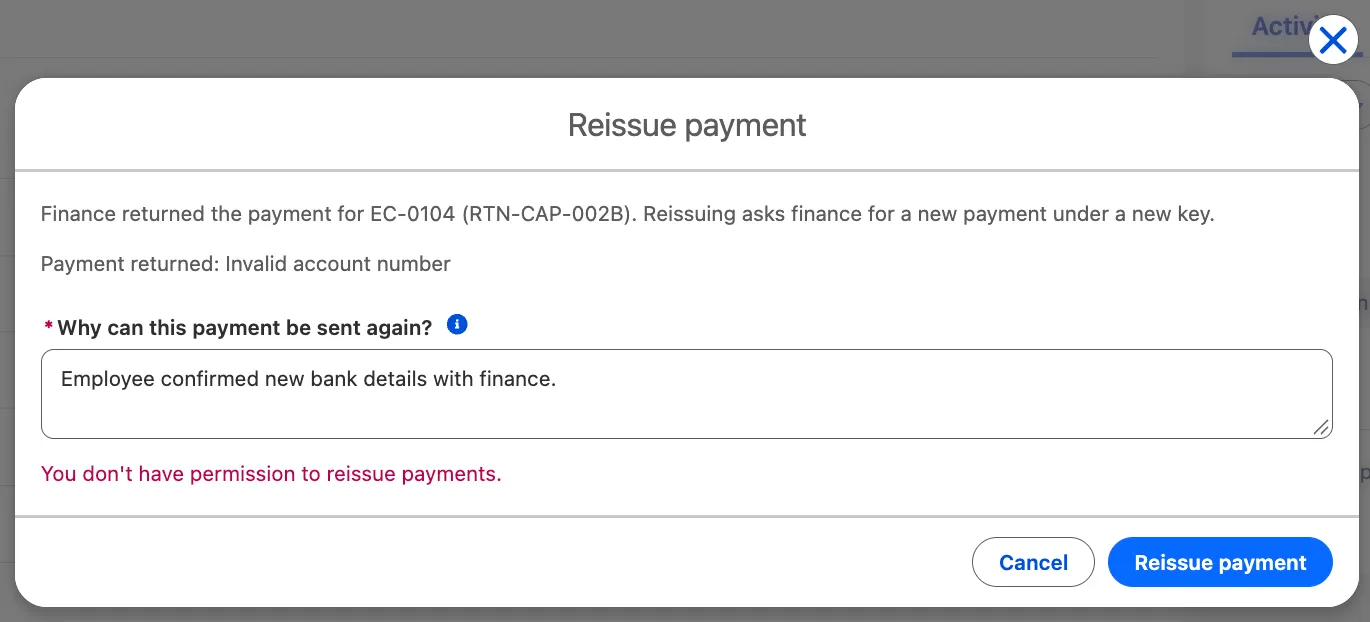
The refusal is the trigger’s own sentence, shown inline. The modal stays open, and the claim behind it is unchanged. -
Try to edit payment state. Cancel the action that check 4 left open. Then, still as the support user, try to edit the claim’s status or payment reference on the record page, and cancel the edit. Expected: those fields are read-only. The request checkbox and reason are the only fields support can change.
-
Restore the permission. As an administrator, assign Reimbursement Reissue to the support user again. Confirm the assignment, then log in again as the support user. The next check needs the same permitted user as the first successful request.
-
Check a conflicting save. As support, open
[CAP-TEST] Returned, second attempt, click Reissue Payment, and leave the action open without submitting. In a separate administrator session, append[CAP-TEST] Reviewed by financeto that synthetic claim’s Reimbursement Error and save. Then submit a reason from the open support action. Expected: the action stays open, shows “This claim changed while the action was open. Close and reopen it to review the latest return.”, and disables Reissue payment. The claim remains inPayment Reviewat attempt 2. Close and reopen the action, confirm it shows the revised return explanation, then cancel. Record the actual result. The Jest tests stand in for LDS’s refresh, so this is the check that the refreshed claim really arrives. -
Read the history of the first request. Open
[CAP-TEST] Returned, first attempt, the claim you reissued in step 1, and record every row in Expense Claim History, with its user and old and new values. The payment references aren’t among the three fields you enabled for tracking in piece 1. Whether the request and reason appear is what this step finds out; don’t use this support-user result to predict the history from another user’s payment job. For comparison, in the practice org used for this guide an accepted request left four rows against the support user: Reissue Requested on and then off in the same save, the new Reissue Reason, and Status fromPayment ReviewtoApproved. The on-off pair marks an accepted request. A refused one rolls back and leaves no rows at all. -
Repeat a reason unchanged. Open
[CAP-TEST] Returned, second attempt. Confirm its existing Reissue Reason isBank details corrected, as the seed script set it, and record its history rows before making another request. Click Reissue Payment, enter exactlyBank details corrected, and submit. Expected: the claim showsApproved, attempt 3, andPAY-CAP-002Bas the previous reference. Compare its history before and after, and record whether any new reason row appears when that field’s value stays unchanged. In the practice org used for this guide, the Reissue Requested pair and the Status row appeared, but no reason row: history records a change, and saving the same value isn’t one.What you write down in steps 8 and 9 becomes the history claim in your handover, so record the actual rows, not the ones you expected.
-
Check the triage component. Reload Home as the support user. Returned payments should be two lower than after seeding, and neither reissued claim should appear in another queue yet. Both were modified today and remain
Approvedwhile the placeholder payment endpoint fails.
🔐 Regression: what the reissue must not have broken
Section titled “🔐 Regression: what the reissue must not have broken”Regression is where you prove the old behaviour survived: everything the system did before, and everything it refused to do. Most of it is already written. Part 5, Part 6, and the LWC chapter left you tests, and the preparation step added the batch and Finalizer tests:
| Check | Expected result |
|---|---|
| Part 5’s four tests | Pass unchanged at API 67.0, including claimWithPaymentReferenceCannotBeApprovedAgain: re-approving a paid claim is still refused with a message about the payment reference |
| Part 6’s nine tests | Pass unchanged, including referencesMustMatchExactly and the exact message clientReference is not a record ID. for a claim reference that isn’t an ID |
| First payment under Private | A non-admin approver approves a claim and it’s paid under the bare claim ID (approverStillPaysAFirstAttemptUnderPrivate) |
| The nightly sweep’s boundary | Today’s claims still wait for tomorrow (nightlyCutoffLeavesTodaysClaimsAlone) |
| The Finalizer’s retry decision | Timeouts and temporary responses still queue a retry; finished jobs, permanent rejections, and code faults don’t (ClaimReimbursementFinalizerTest) |
| The triage component | Its Jest suite passes unchanged, and each queue’s count matches your baseline apart from the claims you seeded and reissued |
If you had to change a baseline test, record what changed, why, and the result before and after. Don’t call the suite unchanged if it wasn’t.
🧨 Make two failures safe and observable
Section titled “🧨 Make two failures safe and observable”A working change is half the job. The other half is knowing what the system does when a piece of it isn’t in place, and whether anyone would notice.
Finance isn’t live yet. Suppose Salesforce releases first and finance’s system still treats every key the old way. That’s the case the replay guard exists for. Your practice org has no finance system to reproduce it with, so an Apex test ExpenseClaimReissueTest.aReplayedPaymentGoesToReview covers it instead. Its mock plays finance and answers the reissue with the payment finance returned. The claim goes to Payment Review with “Payment API returned the previous payment…” rather than to Paid. It lands in the triage component’s Payment requires review queue, where support can see it. The trigger already cleared its active payment and return references, and the failed client call stores neither. Another return notice therefore gets 404; it can’t unlock this claim. Reconcile with finance and record the recovery gap in the handover. This build supplies no automatic exit from that state.
An access grant is missing. This one you reproduce in the org. The payment job’s user-mode query now reads two new fields, so anyone whose save starts a payment needs Read on them:
-
Remove one grant. As an administrator, remove Read on
Payment_Attempt__cin Reimbursement Support Access. Confirm that the support user still holds Reimbursement Reissue from the manual checks. -
Reissue a fresh claim as support. Both returned claims were reissued in the manual checks, so first rerun the seed script as an administrator. It adds a new set of
[CAP-TEST]claims alongside the old ones:Terminal window sf apex run --file scripts/apex/seed-capstone.apexThen log in as support, open the newest
[CAP-TEST] Returned, first attemptclaim (the one with the highest claim number), click Reissue Payment, give a reason, and submit. Expected: the toast confirms the request and the claim showsApproved. Payment Attempt no longer appears on support’s view of the claim, because that’s the Read you removed. -
Read the job. Switch to your administrator session and open Setup → Apex Jobs. Expected: one failed
ClaimReimbursementJobrun, submitted by the support user, and no retries. The Finalizer retries callout failures and deliberately leaves other faults, such as this query error, alone. Compare it with the job from the manual checks, which failed at the callout and was retried. The claim is stillApprovedwith no payment reference.Read the Status Detail carefully, because it never mentions access. The job’s user-mode query reported the field support can’t read as if it didn’t exist: “No such column ‘Payment_Attempt__c’ on entity ‘Expense_Claim__c’.” That looks like a typo in the code, but the field exists and the code deployed. When a user-mode query fails with “No such column” on a field you know is there, check the field access of the Submitted By user first.

The failed run in the practice org used for this guide: one run, submitted by support, with no retry. The error names the field but not the missing access. Empty and zero-value columns are trimmed. -
Restore the grant, then let the sweep find the claim. As an administrator, give Reimbursement Support Access Read on
Payment_Attempt__cagain. The nightly sweep would pick the claim up tonight, running as the scheduling user rather than support. To see that without waiting, run the sweep yourself as anonymous Apex, for example by selecting this line in VS Code and running SFDX: Execute Anonymous Apex with Currently Selected Text:Database.executeBatch(new ClaimReimbursementRetryBatch(Datetime.now()), 40);It runs as you, standing in for the scheduling user, so you need Payment API Callout, which Part 6 assigned to whoever schedules the sweep. The
Datetime.now()cutoff lets it see claims modified today. Expected: aClaimReimbursementRetryBatchrun in Apex Jobs whose Status isCompleted, with a count under Failures and “First error: Unable to fetch the OAuth token.” in Status Detail, the same placeholder failure as manual check 2. That’s how a batch reports a failed chunk, so read Failures, not Status. The claim staysApproved, because the sweep’s callout fails against Part 6’s placeholder too. Recovery through to payment is Not run here. The batch testsweepPaysEligibleClaimsproves that path against a mock.
The sweep in the practice org used for this guide, run as the administrator. Its status is Completed, yet its only chunk failed at the callout. Empty and batch-count columns are trimmed. If the error is “We couldn’t access the credential(s)…” instead, you don’t hold Payment API Callout. That’s the gap the scheduling user mustn’t have: every claim left for the sweep would fail the same way each night.
Record what you saw, including the exact error. The lesson is in step 3: the failed job in Apex Jobs is the signal. The triage component’s Potentially stuck queue only shows the claim if it’s still unpaid two days later, for example because the sweep’s user is missing the same grant. So the handover has to name who watches Apex Jobs.
From experience: No exception email arrived when this job failed in my practice org. Reading “No such column”, I’d have checked the object first, then the Apex, and only then the access. In testing I might open Apex Jobs to confirm a run, but in production it rarely gets checked, mostly when there’s already an error to chase. A failure like this would go unnoticed until someone raised a problem with the payment, and if the sweep went on to pay the claim, it might never be noticed at all. Nearly every async failure I’ve seen in a real project came to light only after someone reported it as an issue.
Not every missing grant stops at one failed run. Suppose Payment API Callout lacks Read on User External Credentials. An approver on Minimum Access then passes the query but fails at the callout: “You don’t have read permissions on the User External Credential object.” That’s a CalloutException, the same type as a network fault, so the Finalizer retries it five times as if finance were briefly down. When the retries run out, the nightly sweep picks the claim up, running as the scheduling user, who has the access the approver lacks. Against a live provider, the claim is paid a day late and never appears as stuck. The only evidence is in Apex Jobs: six failed runs submitted by the approver, all with the same credential error. Code could tell that apart from an outage only by matching error text, which is brittle, so this build leaves it to whoever watches Apex Jobs. They have to read the error, because six failures alone look like an outage.
🧱 Review each stage before release
Section titled “🧱 Review each stage before release”Before you release, look back over the evidence from the design, the build, and the tests, and close any gaps while the change is still only in your practice org. What survives this review is what goes into the release and the handover.
-
Review the design evidence. Use the decision log, the state table, and the access table to explain who can reissue what, and why each persona has the grants it has. Resolve any mismatch before release.
-
Review the code. Confirm every class and the trigger is at API 67.0, every database operation declares its mode, and the tag
capstone-pre-reissueholds the tested preparation. -
Review the test evidence. Check each acceptance criterion against its tests, along with the per-class coverage from the last run and the manual checks. Fix, then re-run, rather than annotating a failed result.
-
Review regression and the failures. Check the regression table, the reliability tests, and your record of the missing-grant exercise. In a connected test environment, verify a
429response’s retry timing and an overlapping worker’s late result against the current attempt. Unit tests check the decisions; they don’t establish queue timing or real concurrent transactions. Anything you couldn’t run is Not run, with a reason.
📦 Release the change and hand it over
Section titled “📦 Release the change and hand it over”Passing tests answers one question: does the change work. It says nothing about how the change reaches the org people use, or what happens if it goes wrong there. Part 7, Testing & Deployment explains validation, quick deployment, and specified-test coverage. Use the release runbook from Stage 2 to answer them for this change: what moves, in what order, where to, how, how you’ll know it landed, who’s told, what triggers a rollback, and what you watch afterwards.
Agree the rollback trigger before you release, so it’s a decision rather than a reaction: a reissue paid under the bare claim ID, a first payment that fails where it used to succeed, or a refusal a permitted support user can’t explain.
🚚 Rehearse the release in a scratch org
Section titled “🚚 Rehearse the release in a scratch org”The rehearsal treats a scratch org as production. It starts from your capstone-baseline tag, the system as it stood before this capstone, so the release has something real to change.

Package the release
Section titled “Package the release”These three steps run in your practice project and against your practice org. The rehearsal that follows uses the scratch org.
-
Write the release manifests. The release goes out in two deployments, so it needs two lists. Save the whole release as
release/capstone-release.xml. It’s the component list your runbook asked for, and every entry is something the deployment has to carry:release/capstone-release.xml <?xml version="1.0" encoding="UTF-8"?><Package xmlns="http://soap.sforce.com/2006/04/metadata"><types><members>ClaimReimbursementFinalizerTest</members><members>ClaimReimbursementJob</members><members>ClaimReimbursementResults</members><members>ClaimReimbursementJobTest</members><members>ClaimReimbursementRetryBatch</members><members>ClaimReimbursementRetryBatchTest</members><members>ExpenseClaimReissue</members><members>ExpenseClaimReissueTest</members><members>PaymentApiClient</members><members>ReimbursementPaymentMock</members><members>ReimbursementReturnApi</members><members>ReimbursementReturnApiTest</members><name>ApexClass</name></types><types><members>ExpenseClaimTrigger</members><name>ApexTrigger</name></types><types><members>Reissue_Returned_Payment</members><name>CustomPermission</name></types><types><members>Expense_Claim__c</members><name>CustomObject</name></types><types><members>Expense_Claim_Approvers</members><members>Expense_Claimants</members><members>Reimbursement_Support</members><name>Group</name></types><types><members>Expense_Claim__c-Expense Claim Layout</members><name>Layout</name></types><types><members>reissuePayment</members><name>LightningComponentBundle</name></types><types><members>Expense_Claim_Approver</members><members>Finance_Returns_Integration</members><members>Payment_API_Callout</members><members>Reimbursement_Reissue</members><members>Reimbursement_Support_Access</members><members>Reimbursement_Triage_Read</members><name>PermissionSet</name></types><types><members>Expense_Claim__c.Reissue_Payment</members><name>QuickAction</name></types><types><members>Expense_Claim__c</members><name>SharingRules</name></types><version>67.0</version></Package>The manifest includes Reimbursement Triage Read even though nothing new uses it: that’s how its retired label reaches every org. Payment API Callout is there for the same reason, carrying its User External Credentials grant. If you placed the action with Dynamic Actions, add your record page as a
FlexiPagemember too, and your practice app as aCustomApplicationmember if the page is its app default; without them, the action doesn’t reach the other orgs.Then save the parts with no code as
release/capstone-schema.xml. They deploy first, and Deploy the release explains why:release/capstone-schema.xml <?xml version="1.0" encoding="UTF-8"?><Package xmlns="http://soap.sforce.com/2006/04/metadata"><types><members>Reissue_Returned_Payment</members><name>CustomPermission</name></types><types><members>Expense_Claim__c</members><name>CustomObject</name></types><types><members>Expense_Claim_Approvers</members><members>Expense_Claimants</members><members>Reimbursement_Support</members><name>Group</name></types><types><members>Expense_Claim_Approver</members><members>Finance_Returns_Integration</members><members>Payment_API_Callout</members><members>Reimbursement_Reissue</members><members>Reimbursement_Support_Access</members><members>Reimbursement_Triage_Read</members><name>PermissionSet</name></types><types><members>Expense_Claim__c</members><name>SharingRules</name></types><version>67.0</version></Package> -
Retrieve what you built in Setup. This brings the permission sets, the custom permission, the groups, and the quick action into the repository. Your Apex is already deployed, so retrieving it changes nothing.
Terminal window sf project retrieve start --manifest release/capstone-release.xml -
Commit the build.
Terminal window git add force-app release scriptsgit commit -m "Reissue a returned payment"If you keep a remote, push the commit, but leave the tags local until the rehearsal is finished: the baseline repair below may move them.
Prepare the rehearsal org
Section titled “Prepare the rehearsal org”These steps make the scratch org look like production before the release arrives.
-
Create the rehearsal org. Create a scratch org with the alias
capstone-rehearsal:Terminal window sf org create scratch --definition-file config/project-scratch-def.json --alias capstone-rehearsal --duration-days 7 --no-track-sourceThe command leaves off
--set-default, so your practice org stays the project’s default, and every rehearsal command namescapstone-rehearsalwith--target-orginstead.--no-track-sourcemakes the scratch org behave like production, which doesn’t track source. The rehearsal deploys from three folders: the baseline, your working copy, and later the pre-reissue tag. With tracking on, each folder sees the others’ deployments as changes made in the org, and the CLI stops with “There are changes in the org that conflict with the local changes you’re trying to deploy”. If you’ve already created the org with tracking,sf org disable tracking --target-org capstone-rehearsalswitches it off; it changes only your local CLI settings.Scratch orgs come from a Dev Hub: an org with Enable Dev Hub switched on (in Setup, enter
Dev Hubin the Quick Find box and select Dev Hub), as Developer Mindset & Toolkit set up. It can be a different org from your practice org. If it isn’t your default Dev Hub, add--target-dev-hubwith its alias. -
Deploy the baseline. Check out the baseline in a separate folder, so your working copy stays put:
Terminal window git worktree add ../capstone-baseline capstone-baselineThen move into that folder and deploy from there:
Terminal window cd ../capstone-baselinesf project deploy start --source-dir force-app --target-org capstone-rehearsalRun from your main working copy, the same command would deploy the finished build, and the rehearsal would have nothing left to change. If that happens, delete the scratch org and start again from step 1. A clean deployment is itself evidence: your repository holds the whole system. If it fails on a missing dependency, step 4 repairs it.
-
Give yourself the access production already has. The org a release targets already has the claim fields, and its administrator can already read them; in your practice org, the field wizard granted that. Here every field arrived by deployment, and a deployed field gives no profile access unless the deployment includes it. Query one of them as yourself:
Terminal window sf data query --query "SELECT Id, Reimbursement_Reference__c FROM Expense_Claim__c LIMIT 1" --target-org capstone-rehearsalIf you can read the field, the query succeeds with “Total number of records retrieved: 0.” If you can’t, it fails with “No such column ‘Reimbursement_Reference__c’ on entity ‘Expense_Claim__c’…”, the same misleading message as the missing grant earlier. In the rehearsal for this guide, it failed: the deployment left System Administrator able to read only Status, because a required field is always visible.
If yours fails too, recreate the access in the scratch org rather than changing the release. In Setup, open Profiles, select System Administrator, then open Object Settings and select Expense Claims. Click Edit, select Read Access and Edit Access for every field under Field Permissions, and click Save. Run the query again; it should now succeed.
That makes the scratch org match production without touching the release. The release’s own four new fields get no administrator access from a deployment either, here or in production, so Deploy the release grants it between its two deployments.
-
Repair a missing dependency, if the deployment failed. Skip this step if step 2 deployed cleanly. Otherwise, repair the baseline in
../capstone-baseline. Retrieve only the missing pre-capstone components from your practice org, naming that org with--target-org; review the diff to exclude any reissue fields, permissions, or code that now exist there. Commit the dependency fix on top of this baseline, then move the local tag withgit tag -f capstone-baseline HEADand deploy again. Record what was missing and the fix commit’s ID. Don’t point the baseline tag at your main working copy’s completed reissue.Back in your main working copy, bring the recorded dependency fix forward with
git cherry-pick COMMIT_ID, substituting its commit ID. Repair the preparation snapshot separately withgit worktree add ../capstone-preparation-repair capstone-pre-reissue, then enter that worktree and cherry-pick the same commit. Repeat the preparation step’s deployment and four-class test run there, adding--target-org capstone-rehearsalto both commands. Only after they pass, rungit tag -f capstone-pre-reissue HEAD. Return to your main working copy and remove the clean repair worktree withgit worktree remove ../capstone-preparation-repair, leaving the later rollback worktree path free. This gives both snapshots the dependency without the feature.Both tags are local rehearsal checkpoints; if you’ve published them, use new tag names and update the runbook instead of replacing a shared tag.
-
Make the rehearsal org look live. Production has a scheduled sweep, a support user, and a configured credential, so give the scratch org the same three. First go back to your main working copy, because every command from here on runs there: only it has the new code and the
releasefolder. If you kept the project name from Developer Mindset & Toolkit, that’s:Terminal window cd ../my-salesforce-projectUse your own folder’s name if you chose a different one.
-
Schedule the nightly job with Part 5’s
System.schedulecall, as anonymous Apex:Terminal window echo "System.schedule('Nightly Async Maintenance', '0 0 2 * * ?', new NightlyCleanupScheduler());" | sf apex run --target-org capstone-rehearsalThat makes you the scheduling user, so give yourself Payment API Callout, as the access table requires:
Terminal window sf org assign permset --name Payment_API_Callout --target-org capstone-rehearsal -
Create a support user like the one from the LWC chapter. In Setup, open Users and click New User. Choose the Salesforce user licence and the Minimum Access - Salesforce profile, enter a name, your own email, and give the user a username that’s unique across Salesforce, such as
support@capstone-rehearsal.example. Then click Save. A Developer scratch org comes with two Salesforce licences and you hold one, so there’s room for it. Skipsf org create userhere: it logs in as the new user after creating them, and a Minimum Access user has no API access, so it stops with “API is disabled for this User”.Then make sure you can work as that user. In Setup, open Login Access Policies, select Administrators Can Log in as Any User, and click Save. When a later step asks you to work as support, open Setup → Users and click Login next to the user.
-
Give the credential placeholder values, as you did in Part 6. In Setup, open Named Credentials, select the External Credentials tab, and open Payment API Auth. Edit the
FinanceServiceprincipal, enter any Client ID and Client Secret, and click Save.
-
Deploy the release
Section titled “Deploy the release”From here, the scratch org stands in for production during a release window: stop the scheduled work, deploy in two stages with field access set between them, and set up the users with reissues still switched off. The object changes go first because the code’s tests depend on field access, and you can only grant access to a field once it exists.
-
Open the release window. First record the nightly job’s name, user, cron expression, and time zone, so you can reschedule it exactly as it was. One query returns all four:
Terminal window sf data query --query "SELECT CronJobDetail.Name, CreatedBy.Name, CronExpression, TimeZoneSidKey FROM CronTrigger WHERE CronJobDetail.JobType = '7'" --target-org capstone-rehearsalThen open Setup → Scheduled Jobs and delete the job. Check Apex Jobs for queued or running reimbursement work, and wait for it to finish before you continue. Deleting a schedule doesn’t stop a job that’s already running. The schedule itself now shows in Apex Jobs as a
Scheduled Apexjob with the statusAborted: that’s the record of your deletion, not a failure. -
Deploy the object and access changes. From your main working copy, deploy everything except the code first:
Terminal window sf project deploy start --manifest release/capstone-schema.xml --target-org capstone-rehearsalIf the CLI reports “No file found at release/capstone-schema.xml”, you’re still in
../capstone-baseline, which has noreleasefolder.This deploys the object’s changes (the four new fields, Status and Amount made optional with their validation rule, and history tracking), the custom permission, the groups, the permission sets, and the sharing rules. None of it is Apex, so production runs no tests for it by default. The schema and access changes are now live, but reissues stay off until the code is deployed and Reimbursement Reissue is assigned. Everything else waits for the second deployment, because its tests depend on the access you set next.
-
Set field access before the code arrives. The tests run as administrators and as the release’s personas, so field-level security has to be right before they do:
- Keep existing users working. Production has real employees, approvers, and support users. Once Status and Amount are optional, approvers need Expense Claim Approver to keep editing status, and claimants need the grant you recorded in piece 1 to keep entering amounts. Assign both now, before you clear any profile’s access to those fields: the first deployment brings Expense Claim Approver. Move support users from Reimbursement Triage Read to Reimbursement Support Access as you did in piece 2, and leave the retired set unassigned rather than deleted.
- Give System Administrator the new fields. In Setup, open Profiles, select System Administrator, then open Object Settings and select Expense Claims. Click Edit, select Read Access and Edit Access for Payment Attempt, Previous Payment Reference, Reissue Reason, and Reissue Requested, and click Save. The field wizard did this in your practice org; a deployment doesn’t.
- Lock Status and Amount. Clearing the Required flags on the fields in step 2 left every profile able to edit whichever of them was required. In Object Manager, open Expense Claim, then Fields & Relationships, and select Status. Click Set Field-Level Security, clear Visible for every profile except System Administrator, leave System Administrator with Read-Only cleared, and click Save. Repeat for Amount; if only System Administrator can see it already, there’s nothing to change.
- Check that the payment fields from Parts 5 and 6 are locked the same way, as in piece 1. In the scratch org they arrived with no profile access, so there’s nothing to clear; in production there may be.
-
Validate. Run the whole release as a check-only deployment with the five test classes. It includes step 2’s components again, unchanged, so one manifest stays the complete record of the release:
Terminal window sf project deploy start --manifest release/capstone-release.xml --dry-run --test-level RunSpecifiedTests --tests ClaimReimbursementJobTest --tests ReimbursementReturnApiTest --tests ClaimReimbursementRetryBatchTest --tests ClaimReimbursementFinalizerTest --tests ExpenseClaimReissueTest --target-org capstone-rehearsal--dry-runis the route the CLI recommends outside production. A scratch org doesn’t run tests or enforce coverage unless you ask, so the test level is what makes this a validation worth recording. Record the job ID and the result. Setup → Deployment Status shows the same result: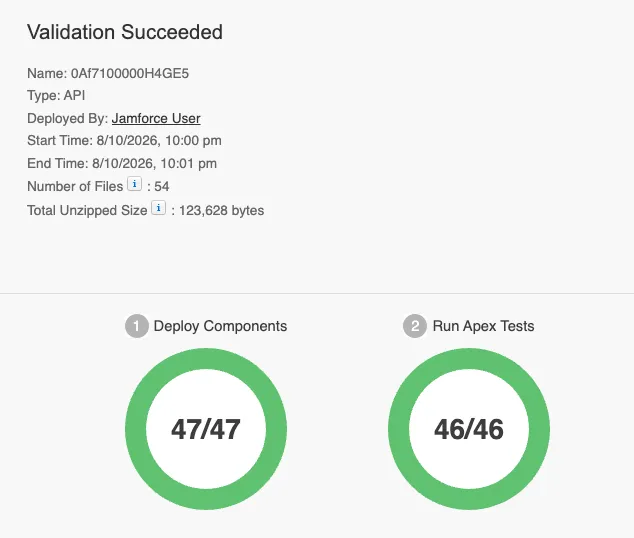
The validation in the rehearsal for this guide. Every component deployed and every test passed, then Salesforce rolled the deployment back, as a validation does. -
Quick deploy, or deploy. Try deploying the validated job without running its tests again:
Terminal window sf project deploy quick --job-id <validation job ID> --target-org capstone-rehearsalQuick deploy’s conditions are written for production and sandboxes. With specified tests, each deployed class and trigger needs 75% coverage of its own, and the validation must be less than 10 days old. If the scratch org refuses, run the same deployment without
--dry-run, and record quick deploy as Not run in this rehearsal rather than guessing how production would behave. In the rehearsal for this guide, the scratch org accepted the quick deploy. -
Check coverage yourself. A scratch org won’t refuse a deployment for low coverage, but production would. Run the five test classes against the rehearsal org, as you did in Prove and review the change:
Terminal window sf apex run test --tests ClaimReimbursementJobTest --tests ReimbursementReturnApiTest --tests ClaimReimbursementRetryBatchTest --tests ClaimReimbursementFinalizerTest --tests ExpenseClaimReissueTest --code-coverage --result-format human --wait 20 --target-org capstone-rehearsalConfirm that every deployed class and the trigger reach 75% on their own. In the rehearsal for this guide, they all cleared it comfortably:
Class or trigger Coverage ClaimReimbursementJob100% (62 of 62 lines) ClaimReimbursementRetryBatch100% (27 of 27) ExpenseClaimReissue100% (42 of 42) ReimbursementReturnApi99% (96 of 97) ClaimReimbursementResults98% (41 of 42) ExpenseClaimTrigger96% (27 of 28) PaymentApiClient96% (146 of 152) The same run shows
InactiveAccountCleanupBatchandNightlyCleanupSchedulerat 0%. They aren’t in the release, so they don’t count. -
Set up the users, with reissues still off. Work through these in order:
-
Add the group members. In Setup, open Public Groups. Add yourself to Expense Claimants, because you stand in for the employees who create claims, and add the support user to Reimbursement Support. Do this before seeding, so the sharing rules share the practice claims as they’re created.
-
Give support their access. In Setup → Users, open the support user. Under Permission Set Assignments, Edit Assignments, add Reimbursement Support Access and Payment API Callout, then click Save. Leave out Reimbursement Reissue, so reissues stay off.
-
Seed the practice claims with the script from piece 2:
Terminal window sf apex run --file scripts/apex/seed-capstone.apex --target-org capstone-rehearsal
Then confirm that nothing is switched on. Log in as the support user and find Expense Claims in the App Launcher; your practice app isn’t part of the release, so no app here has the tab in its navigation bar. Open
[CAP-TEST] Returned, first attempt, click Reissue Payment, give a reason, and submit. Expected: the action stays open and shows “You don’t have permission to reissue payments.” That proves the release landed without switching reissues on. -
🔃 Rehearse the rollback, then switch reissues on
Section titled “🔃 Rehearse the rollback, then switch reissues on”Rehearse the rollback now, while the rehearsal org has no reissue data and no payment that depends on the new key. That’s the only state in which a simple rollback is safe. Once a reissued payment exists, the old endpoint can’t understand its returns, and rolling back becomes a data and contract problem rather than a deployment.
-
Deploy the pre-reissue code. Check out the preparation step’s tag in a second folder:
Terminal window git worktree add ../capstone-pre-reissue capstone-pre-reissueThen move into that folder and deploy the rollback manifest. It restores the tag’s versions of the code and removes the reissue rule, its test class, and the results writer:
Terminal window cd ../capstone-pre-reissuesf project deploy start --manifest release/rollback-package.xml --post-destructive-changes release/destructiveChangesPost.xml --test-level RunSpecifiedTests --tests ClaimReimbursementJobTest --tests ReimbursementReturnApiTest --tests ClaimReimbursementRetryBatchTest --tests ClaimReimbursementFinalizerTest --target-org capstone-rehearsalExpected: the four test classes pass, and the CLI lists the five restored components. It doesn’t list the three it removed, so check Setup → Apex Classes to confirm
ExpenseClaimReissue,ExpenseClaimReissueTest, andClaimReimbursementResultsare gone.Run from your main working copy, the same command finds the same manifests but deploys the finished code, which still calls the classes being removed. It fails with “Variable does not exist: ClaimReimbursementResults”, and nothing changes.
The fields, permission sets, groups, component, and quick action stay. They’re inert without the new trigger and client, and deleting them is a separate decision if a rollback ever becomes permanent. Status and Amount also stay optional, with their validation rule. That change fixes access rather than adding the reissue, so keep it.
-
Make the retained pieces harmless. The rollback leaves the reissue’s fields, permissions, component, and action in place, so make sure nobody can reach them:
- Remove the action from the page layout. In Object Manager, open Expense Claim, then Page Layouts, and select Expense Claim Layout. Drag Reissue Payment out of the Mobile & Lightning Actions section and back onto the palette, then click Save. With the old trigger back, a request would save but do nothing.
- Check that nobody holds Reimbursement Reissue. In Setup, open Permission Sets, select Reimbursement Reissue, and click Manage Assignments. The list should be empty; remove anyone it shows.
- Record what stays. List the retained components in the release record: the four new fields, the validation rule, the custom permission, the four new permission sets and Payment API Callout’s added grant, the three groups, the two new sharing rules, the
reissuePaymentcomponent, and the quick action.
-
Verify the rollback. Run the four remaining test classes against the rehearsal org, with coverage:
Terminal window sf apex run test --tests ClaimReimbursementJobTest --tests ReimbursementReturnApiTest --tests ClaimReimbursementRetryBatchTest --tests ClaimReimbursementFinalizerTest --code-coverage --result-format human --wait 20 --target-org capstone-rehearsalExpected: all 20 tests pass, and each restored class and the trigger reach 75% on their own. Part 5’s
approvalQueuesPaymentAndStoresConfirmationis among them: it’s the evidence that a first approval still pays under the bare key. Record the result. In the rehearsal for this guide, all 20 passed, and the lowest coverage wasPaymentApiClientat 82%. -
Deploy forward again. Go back to your main working copy, using your own folder’s name if it differs:
Terminal window cd ../my-salesforce-projectValidate the release again, exactly as in Deploy the release step 4. If the CLI reports “No file found at release/capstone-release.xml”, you’re still in
../capstone-pre-reissue.Terminal window sf project deploy start --manifest release/capstone-release.xml --dry-run --test-level RunSpecifiedTests --tests ClaimReimbursementJobTest --tests ReimbursementReturnApiTest --tests ClaimReimbursementRetryBatchTest --tests ClaimReimbursementFinalizerTest --tests ExpenseClaimReissueTest --target-org capstone-rehearsalThen quick deploy it with the new validation job ID, or run the deployment without
--dry-runif the scratch org refuses:Terminal window sf project deploy quick --job-id <validation job ID> --target-org capstone-rehearsalThe first deployment and its field access stayed in place through the rollback, so they don’t need repeating. The release carries the page layout too, so this puts the Reissue Payment action back on it; open the layout to confirm.
Then clear any request flag set while the old trigger was installed. That trigger ignored the box and left it ticked, and the reissue rule only counts a request when the box changes from clear to ticked, so that claim’s next request would save but do nothing. Save this as
scripts/apex/clear-stale-requests.apex:// Anonymous Apex can't use system mode, so this runs in user mode, as the admin.List<Expense_Claim__c> stale = [SELECT Id FROM Expense_Claim__c WHERE Reissue_Requested__c = true WITH USER_MODE];for (Expense_Claim__c claim : stale) {claim.Reissue_Requested__c = false;}update as user stale;System.debug(stale.size() + ' stale request flags cleared');Then run it:
Terminal window sf apex run --file scripts/apex/clear-stale-requests.apex --target-org capstone-rehearsalExpected: the debug line reports
0 stale request flags cleared, unless someone requested a reissue during the rollback.Commit the script, so the release record has it if production ever needs the same rollback:
Terminal window git add scripts/apex/clear-stale-requests.apexgit commit -m "Clear stale reissue requests after a rollback" -
Close the release window. Put the scheduled work back, then switch reissues on for one user and watch a request go through:
-
Reschedule the nightly job with the name, cron expression, and time zone you recorded in Deploy the release step 1, substituting yours if they differ. Run it as the user you recorded: the job runs as whoever schedules it, and the cron expression is read in that user’s time zone.
Terminal window echo "System.schedule('Nightly Async Maintenance', '0 0 2 * * ?', new NightlyCleanupScheduler());" | sf apex run --target-org capstone-rehearsalThen confirm it in Setup → Scheduled Jobs.
-
Switch reissues on. In Setup → Users, open the support user. Under Permission Set Assignments, add Reimbursement Reissue alongside the two sets they already hold; it adds only the custom permission.
-
Submit one reissue. Log in as the support user, open
[CAP-TEST] Returned, first attemptfrom Expense Claims in the App Launcher, click Reissue Payment, give a reason, and submit. Expected: the action closes with a toast, and the claim showsApproved, attempt 2, andPAY-CAP-001as the previous reference, as in manual check 1. Back in your administrator session, Setup → Apex Jobs shows the support user’sClaimReimbursementJobfailing with “Unable to fetch the OAuth token.”, the placeholder failure from manual check 2, followed by the Finalizer’s retries.
-
When the destination is production, run everything above in the last sandbox before it, not in production itself. Production gets a narrower smoke test agreed in the runbook: switch reissues on for one named support user, reissue one real returned claim that finance has confirmed, and watch Apex Jobs until the payment lands.
From experience: In my rehearsal, each validation took 13 to 23 seconds and each quick deploy about 7, so quick deploy saved very little here. I’ve seen deployments take many minutes, though, and that’s when it’s worth it. The baseline deployed cleanly, with nothing missing from my repository. The bigger lesson was about the instructions. I wrote these, and I still ran deployments from the wrong folder more than once when I didn’t read a step properly. For a real release, I’d plan carefully, read every step as I reach it, and practise the instructions beforehand, ideally by asking a coworker to follow them, to check they’re clear to someone who didn’t write them.
🛑 Stop new reissues and reconcile outstanding payments
Section titled “🛑 Stop new reissues and reconcile outstanding payments”Switching reissues off takes no deployment, only one permission set, so rehearse that too. In Setup, open Permission Sets, select Reimbursement Reissue, and click Manage Assignments. Select every user listed and click Remove Assignment, the bin icon. Then log in as support and try a reissue on [CAP-TEST] Returned, second attempt. Expected: “You don’t have permission to reissue payments.”, and the claim doesn’t change.
Now be precise about what that did and didn’t do. It stopped new requests. It didn’t touch a claim already moved to Approved, a queued job, a Finalizer retry, or tonight’s sweep, and each of those can still send a payment. Your rehearsal org shows it: the claim you reissued in the last step is Approved with no payment reference, its job may still be retrying, and if the retries have run out, tonight’s sweep will pick it up. If you’re stopping because something is wrong, recover deliberately:
-
Stop anything new from starting. Record and delete the nightly schedule, as in Deploy the release step 1, and don’t approve or reissue anything until you’ve reconciled.
-
Find everything in flight. List every reissued claim that’s
Approvedwith no payment reference:Terminal window sf data query --query "SELECT Name, Payment_Attempt__c, Previous_Payment_Reference__c, LastModifiedDate FROM Expense_Claim__c WHERE Status__c = 'Approved' AND Reimbursement_Reference__c = null AND Payment_Attempt__c > 1" --target-org capstone-rehearsalThen check Setup → Apex Jobs for any
ClaimReimbursementJoborClaimReimbursementRetryBatchthat’s queued or running. You can abort a queued job, but an aborted job doesn’t prove an earlier attempt never reached finance. In the rehearsal, expect the claim you reissued, at attempt 2. -
Reconcile each one with finance. For each claim, record its attempt, its key, its state in Salesforce, its jobs in Apex Jobs, and what finance says happened. An
Approvedclaim with no reference can still have a payment whose response was lost. In the practice org there’s no finance system to ask, so mark this Not run. -
Fix forward while any new key is in play. Don’t redeploy the old client or endpoint while a payment made, or possibly made, under a suffixed key exists. The old code can’t send that key again or recognise its return. Keep the attempt-aware code, keep reissues switched off, and fix the fault.
Removing Reimbursement Reissue leaves support’s other two permission sets in place, which is why the permissions were split. Jobs already running as support keep the field and credential access they need, so recovery doesn’t depend on access the switch has just taken away.
🤝 Hand over
Section titled “🤝 Hand over”Update your handover for the next developer with what they need to run this change:
- Ownership and monitoring: who watches Apex Jobs for failed
ClaimReimbursementJobruns and for sweeps that showCompletedwith a count under Failures, who works the triage queues, and who watches for claims leftApprovednear the 90-day key window. - Support: what the Reissue Payment action does, when to use it (finance has confirmed the employee’s new bank details), what each refusal means, and that a reissued claim shows
Approveduntil the payment lands. Requests through the API or Data Loader can reuse the claim’s existing reason by leaving the field out; the action asks for a reason every time. - Replay reconciliation: when finance answers a reissue with the earlier payment, the claim goes to
Payment Reviewwith no active reference, and a return notice can’t unlock it. Name the finance contact, what evidence to collect, and the owner of a future recovery change. - Recovery and change: the release record, including the two deployments and the field access set between them; what would make you roll back; the release and rollback rehearsals and the switch-off check; the list of retained components; and the rule that a rollback past the first reissue is a reconciliation, not a deployment.
- Known limits: every limit you recorded before building, each with its owner and next action.
Keep sensitive org details in the private evidence pack. The redacted pack is a portfolio project in its own right, so decide what goes public deliberately: credentials, principal values, and identifying screenshots stay out.
🧾 Review the evidence pack
Section titled “🧾 Review the evidence pack”The evidence pack is how you show someone else what you can do and how you know it works, whether that’s a reviewer, an employer, or you in six months’ time. It covers the whole Developer path, so the table below includes work from earlier chapters as well as this change. For each entry, point to a decision or a result you observed, with enough context that someone else could repeat the check. Keep it wherever suits you, a folder or a document, with the decision log, test results against what you expected, coverage, the release and schedule record, the retained-component list, the reconciliation notes, the handover, and the retrospective.
| Capability | What to include |
|---|---|
| Platform and implementation judgement | The decision log, including the screen flow you didn’t build and why, and the Private sharing decision |
| Apex and transaction design | The trigger rule and state table, the attempt key and replay guard, the chain limit, and the bulk test’s acceptance and processing results |
| Querying and data access | The SOQL capstone from Stage 3, plus this change’s user-mode queries and the bound sweep cutoff |
| Event and asynchronous processing | The chained Queueable in the bulk test, the batch lifecycle tests, the Finalizer’s retry-decision tests, and your record of the failed job with no retry |
| Integration | Finance’s change notice, the attempt-key contract, the replay and superseded-return tests, the integration user’s return test, and the 90-day retention recorded as a limit |
| Testing and delivery | Positive, negative, bulk, and representative-user tests with per-class coverage; both deployments and the validation; the quick deploy or its Not run; the rollback rehearsal and the switch-off check; and the schedule record |
| User interface | The quick action with its Jest results, the refusal screenshot, and the triage suite as regression, plus the Stage 4 capstones |
| Integrated delivery | The working change, the updated handover, the known limits, and the retrospective |
Before you call the capstone finished, check that:
- the agreed scope passes in every row, and every check has either run or has a reason it couldn’t;
- each scope change records who agreed to it;
- nothing is left unexplained. An access failure you can’t account for, a release you didn’t run, or a rollback you didn’t rehearse means there’s still work to do.
Then test the pack the way someone else would use it. Ask a reviewer to trace three claims using only the pack: one reissued and paid, one refused because finance had rejected it, and one where finance replayed the old payment. A practice org can’t pay anything, so the paid and replayed cases come from the Apex tests. Ask them who could request each one, why it ended where it did, and how they’d support it. Anywhere they have to guess shows you where the handover needs more. If you’re reviewing your own work, leave it a day and trace from the pack alone, without opening the org first.
Finish with a short retrospective. Look at what changed during testing and the rehearsal: each of those is a decision you could make earlier next time.
🚀 Extend the brief after the review
Section titled “🚀 Extend the brief after the review”Choose the next change from your known limits and deliver it the same way, with its own brief, acceptance criteria, tests, and release. Any of these would make good practice:
- A durable attempt log. A child object that records each attempt, its key, its outcome, and any return would give support the full payment history that field history can’t. It would also let the endpoint acknowledge a superseded return instead of answering
404. - Immutable attempt payloads. Store the amount each attempt was sent with, and refuse any change to it while the attempt is open. It’s a small rule, but it affects everything that saves a claim, first payments included.
- A key-retention guard. Move any claim still unpaid near the 90-day window to review, rather than letting the sweep resend a key finance may have forgotten.
- Asynchronous settlement. Real payment APIs often answer
202 Acceptedand confirm settlement later. Moving to that contract touches the client, the endpoint, the sweep, and the triage queues at once, which makes it a good second capstone.
Keep each one’s evidence separate, so this delivery stays understandable on its own.
🎯 Final Thoughts
Section titled “🎯 Final Thoughts”That was a long one. If you built it as you read, you changed a payment system that was already running, and the payments you didn’t touch still behave exactly as they did. You also rehearsed the way back before you needed it. That’s a real piece of work, and your evidence pack shows it.
It’s worth noticing where the effort went. The reissue rule is a few dozen lines of Apex. Most of the work sat around it: agreeing what makes a payment new, proving that nothing else had changed, and finding out in the rehearsal what your practice org had quietly been doing for you all along. That surrounding work is also the part that’s easiest to leave out of an estimate.
One question kept coming back during this build: if this went wrong, who would notice? A job that failed looked like success to support. A sweep reported Completed with a failure inside it, and a missing grant could hide behind the next night’s run. That’s why the handover names who watches Apex Jobs, and it’s a question worth asking of anything you hand over.
If you’re following the Salesforce Developer Journey, that’s Stage 5 finished, and the whole path with it. Take your evidence pack to See how far you have come: it turns your work into capabilities you can walk someone through, and any gap points to the chapter worth another look. When you’re ready, choose a direction from After the journey. If you’d like more practice first, each extension above is a capstone of its own.
Started here? The journey’s roadmap shows the chapters this capstone builds on, and each one stands on its own if you’d rather start smaller.